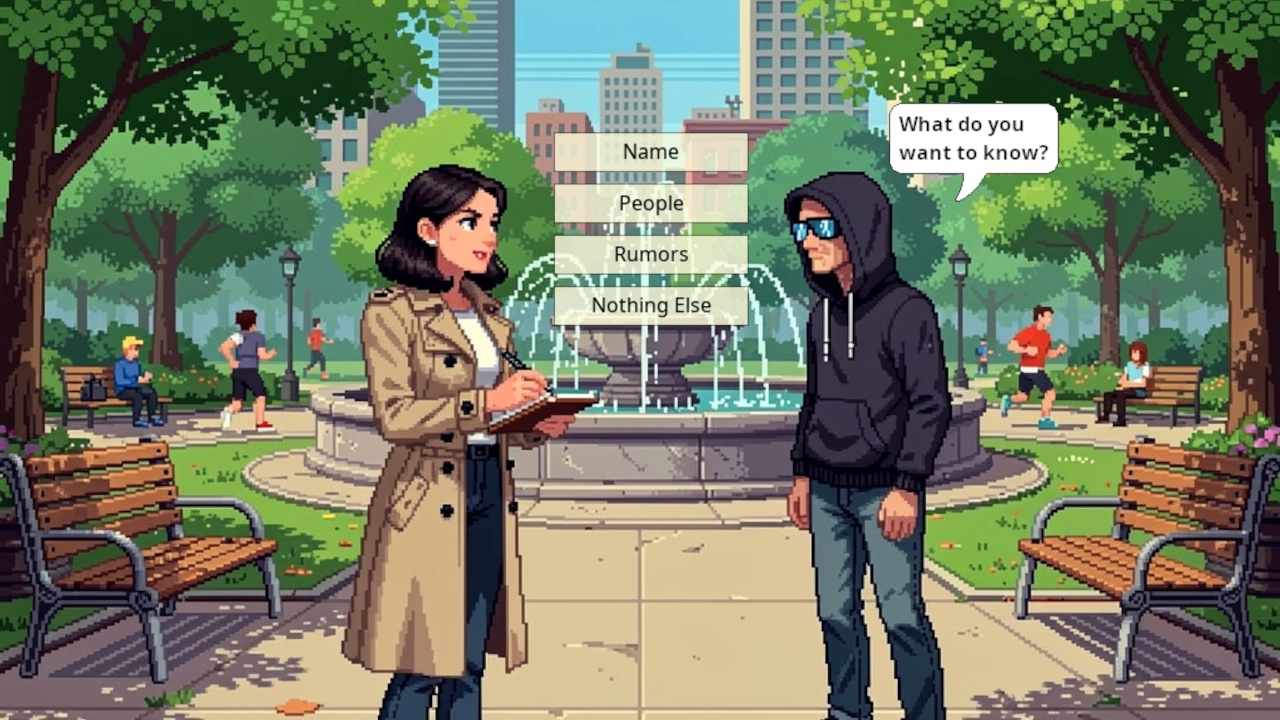
Images on this page are provided for illustrative purposes and may feature AI-generated sprites and backgrounds. We plan to replace them in time, but at this moment all our efforts are focused on coding. No AI art assets are included with Candy Dialogue Engine.
Candy Dialogue Engine
Candy Arts | Discord | Youtube | Forum | Documentation | Features | Change Log | Licensing | Gumroad
Candy Dialogue Engine is one of the most extensive and powerful dialogue systems for Godot Engine 4.
Displaying text is just the basics - Candy Dialogue Engine is designed to take game dialogue much further:
• A wide panel of features is provided to cover most project needs.
• Most features offer deeper capabilities and options than standard dialogue systems.
• Dialogues can access, control and synchronize with every part of your game.
• Its capabilities can be expanded as much as you need, without limitations.
• Everything is designed to be simple and easy to use, with complexity never exceeding that of your own project.
Candy Dialogue Engine is a dialogue system you can rely on for any project, no matter its genre, complexity or originality: it will do everything you need a dialogue system for, and never limit you.
Feature Highlights
• Fully customizable UI with no coding needed.
• Very precise dialogue/media synchronization.
• Control nodes in the game environment for cutscene scripting.
• Configure simple to advanced choice menus without coding.
• Intuitive and powerful word substitution feature (•he¦npc1• → "he" or "she").
• Read/display/modify any variables, call any functions, and emit/await any signals - including Godot natives.
• Use variables as dialogue data, resolved at runtime.
• Support features for live LLM-generated dialogue.
• Supports text-to-speech (TTS), with option to give your chosen TTS tool custom lines for perfect pace and pronunciation.
• Multiple dialogues can run in parallel, with their own UI and settings.
• Candy Dialogue Engine can act as a ready-made modding layer.
• Translation features make multi-localization easy and convenient.
Other Features
• Multiple built-in dialogue modes: dialogue box with portraits, subtitles, chatbox, 2D & 3D speech bubbles.
• Animated portraits.
• Voiced dialogue.
• Visual Novel tools and features.
• Unlimited custom player input UIs: text input prompts, keypads, puzzles, mini-games, etc.
• Disposition-based dialogue display.
• Text variations: random or based on player or speaker attributes.
• NPC 'barks' (background comments).
• If/Elif/Else conditions + For/While loops.
• Lexicon (glossary) keywords automatically formatted, display tooltips on hover and custom click effects.
• Save/load variables to/from external files as a rudimentary save/load system or for unlimited variable declaration at runtime.
• Customize/expand abilities through hook functions and match statements.
• Modify dialogues while they run.
• Full code access.
Candy Dialogue Creator
Dialogues are written in Candy Dialogue Creator: a standalone GUI application made in Godot.
It's designed to make writing dialogues easier by removing the need to write special syntax, generating data lists from your project files to reduce typing, allowing you to preview media files instantly, offering a quick test option, and more.
The Candy Dialogue Creator can be downloaded from GitHub:
• Compiled executables are provided for Linux, Windows and MacOS.
• The source code is available as a raw Godot project: customize it, fork it, integrate it to your project directly, or inspect it for issues.
Installation
1: Copy 'Candy_DE' + 'First_Install' + 'Candy_DE_Install.gd' to your project root folder (not the 'addons' folder).
2: In Godot Editor: Right-click 'Candy_DE_Install.gd' → Run
3: Project Tab → Tools → 'Upgrade Project Files...' → Restart
4: Project Settings: Configure input for 'Dialogue_Advance'.
See Installation_Instructions.pdf for more detailed instructions.
NOTE: In 4.4, you need to open the Candy_DE_Install.gd script in the Script Editor to run it.
Licensing
Candy Dialogue Engine is free for non-commercial use.
Candy Dialogue Engine is published under the Candy Dialogue Engine General License (License.md).
When you use Candy Dialogue Engine in a project, you must do so under the terms of either the Free Indie License, or the Studio License.
All these licenses are provided with downloads, and can also be found on our website.
For commercial use and any other information, see our licensing overview page.
Documentation & Community
Candy Arts Official Site
PDF Guides
Youtube Channel
Discord
Discussion Board
Feature List
Change Log
Ongoing Development
Candy Dialogue Engine is regularly updated: there's always new features to add or improve upon.
We still have a lot of ideas we want to implement, but at this point we're waiting on user feedback to decide which direction to take some features in.
Compatibility
Candy Dialogue Engine is compatible with Godot 4.4+
It's also compatible with any operating system that can run the Godot Editor or that Godot can compile to.
Bugs & Issues
Please report any bugs or issues on GitHub.
Changelog for version 1.1.3
2026-08-09 15:14:00
No changelog provided for this version.
