Description
Changelog
Reviews (0)
A small Godot 4.7 add-on for scene loading and loading screens
Easy to use:
Simply call SceneLoader.load_scene("uid or path to scene") and use the default loading screen.
Use your own loading screen:
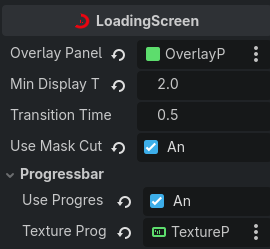
To use your own loading screen, simply create a new scene of type "Loading Screen" and configure it. You can set the minimum display duration or the transition time.
Cutout Shader:
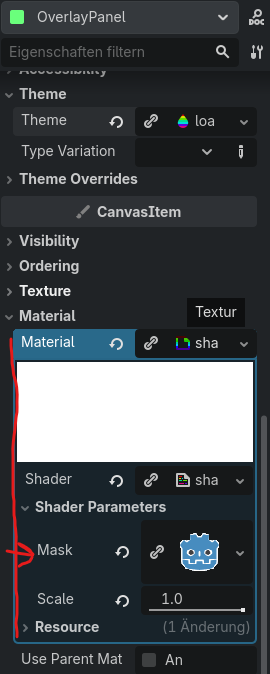
The Cutout Shader is in the shader material. You can assign it to you overlay panel under CanvasItem/Material and you can set your own mask image in the shader parameters.
Examples:
You can find some examples in the examples folder.
Credits:
The texture for the progressbar example (3-1 and 3-2) is from the asset pack UI Pack RPG Expansion by Kenney.nl
Changelog for version 1.0.3
2026-08-11 20:49:00
No changelog provided for this version.