Quick Actions Panel
The essential floating toolbar every Godot developer needs.
Stop clicking through menus. Get instant access to screenshot capture, scene reloading, FPS monitoring, and timescale control—all in one draggable, resizable panel.
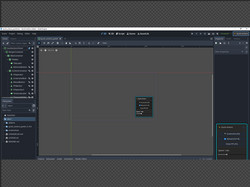
Features
🎯 Core Tools
- 📸 Screenshot Tool - Capture viewport instantly (F9)
- Saves with timestamp to
user://folder - Automatically excludes UI from screenshots
- Saves with timestamp to
- 🔄 Scene Reload - Restart current scene without menus (Ctrl+R)
- Perfect for rapid iteration
- Cleans up FPS counter on reload
- 👁 FPS Counter - Toggle performance overlay (F3)
- Color-coded: Green (60+), Yellow (30-59), Red (<30)
- Stays on top of all UI
- ⚡ Timescale Control - Speed up or slow down game (0.1x to 3.0x)
- Slider for precise control
- Hotkeys: Ctrl+Plus (speed up), Ctrl+Minus (slow down), Ctrl+0 (reset)
- Essential for testing slow-motion, fast-forward, and time-based mechanics
🎨 Panel Features
- Draggable - Click and drag anywhere to reposition
- Resizable - Drag bottom-right corner (200x250 to 400x600)
- Minimizable - Collapse to title bar with "−" button
- Always on Top - Renders above all game UI (CanvasLayer 4096)
- Toggle Hotkey - Press Ctrl+Shift+Q to show/hide panel
Installation
Method 1: Direct Download
- Download the latest release from Itch.io
- Extract to your project's
addons/folder - Enable in Project → Project Settings → Plugins
- Look for ⚡ Quick Actions button in the toolbar
Method 2: Godot Asset Library
- Open AssetLib tab in Godot
- Search for "Quick Actions Panel"
- Click Download → Install
- Enable in Project → Project Settings → Plugins
Usage
In Editor
- Click ⚡ Quick Actions toolbar button to show/hide panel
- Panel is visible ONLY in editor (not in running game)
- Use for quick access during development
In Runtime (Running Game)
- Panel automatically appears when you run the game (F5)
- Press Ctrl+Shift+Q to toggle panel visibility
- All features work during gameplay testing
Hotkeys Reference
| Action | Hotkey | Description |
|---|---|---|
| Screenshot | F9 | Capture viewport without UI |
| Reload Scene | Ctrl+R | Restart current scene |
| Toggle FPS | F3 | Show/hide FPS counter |
| Speed Up | Ctrl+Plus | Increase timescale by 0.25x |
| Speed Down | Ctrl+Minus | Decrease timescale by 0.25x |
| Reset Speed | Ctrl+0 | Reset to 1.0x normal speed |
| Toggle Panel | Ctrl+Shift+Q | Show/hide panel (runtime only) |
Screenshot Location
Screenshots are saved to your project's user data folder:
- Windows:
%APPDATA%\Godot\app_userdata\[ProjectName]\ - Linux:
~/.local/share/godot/app_userdata/[ProjectName]/ - macOS:
~/Library/Application Support/Godot/app_userdata/[ProjectName]/
Files are named: screenshot_YYYY-MM-DDTHH-MM-SS.png
Perfect For
✓ Playtesting platformers - Timescale control is a game-changer
✓ Debugging UI layouts - Quick screenshots without external tools
✓ Performance optimization - Real-time FPS monitoring
✓ Rapid iteration - Instant scene reloads during testing
✓ Tutorial creation - Capture clean screenshots for documentation
Roadmap
v1.1 (Planned)
- Area Screenshot Tool - Select and capture specific regions
- Node Path Copier - Right-click context menu for node paths
- Quick Save/Load System - Save game state during testing
v1.2 (Planned)
- Screen Recording - Record gameplay as MP4 or GIF
- Quick Notes Panel - In-editor TODO list
- Scene History - Jump between recently opened scenes
v1.3 (Future)
- Performance Profiler Shortcuts - Quick access to built-in profiler
- Custom Action Buttons - Add your own frequently-used scripts
- Asset Quick Finder - Search project assets instantly
Troubleshooting
Panel doesn't appear in runtime
- Make sure the plugin is enabled in Project Settings → Plugins
- Check that
QuickActionsRuntimeautoload is registered - Try disabling and re-enabling the plugin
Screenshots are black/corrupted
- This happens if capturing too early in the frame
- The plugin waits 2 frames before capture - if issues persist, report on GitHub
Hotkeys conflict with my game
- Edit
quick_actions_panel.gdto change keybindings - Look for the
HOTKEY_*constants at the top - Modify
_register_hotkeys()function with your preferred keys
Panel blocks game input
- Minimize the panel with the "−" button
- Or press Ctrl+Shift+Q to hide completely
- The panel only captures input when visible and expanded
Technical Details
- Godot Version: 4.0+
- Language: GDScript with full type annotations
- License: MIT (modify freely)
- File Size: < 100 KB
- Performance Impact: Negligible (processes only when visible)
Credits
Author: Amir
Version: 1.0.0
Support: X
Support the Project
If this plugin saves you time, consider:
- ⭐ Starring on GitHub
- 💬 Leaving a review on Itch.io
- ☕ Supporting on Ko-fi
- 📢 Sharing with other Godot developers
License
MIT License - See LICENSE file for details.
You are free to use, modify, and distribute this plugin in your projects (commercial or non-commercial).
Changelog
v1.0.0 (2025-11-29)
- Initial release
- Screenshot tool with UI exclusion
- Scene reload functionality
- FPS counter with color coding
- Timescale control (0.1x to 3.0x)
- Resizable and draggable panel
- Minimize/maximize functionality
- Comprehensive hotkey system
- Editor and runtime support
Changelog for version v1.0.0
No changelog provided for this version.