@icons
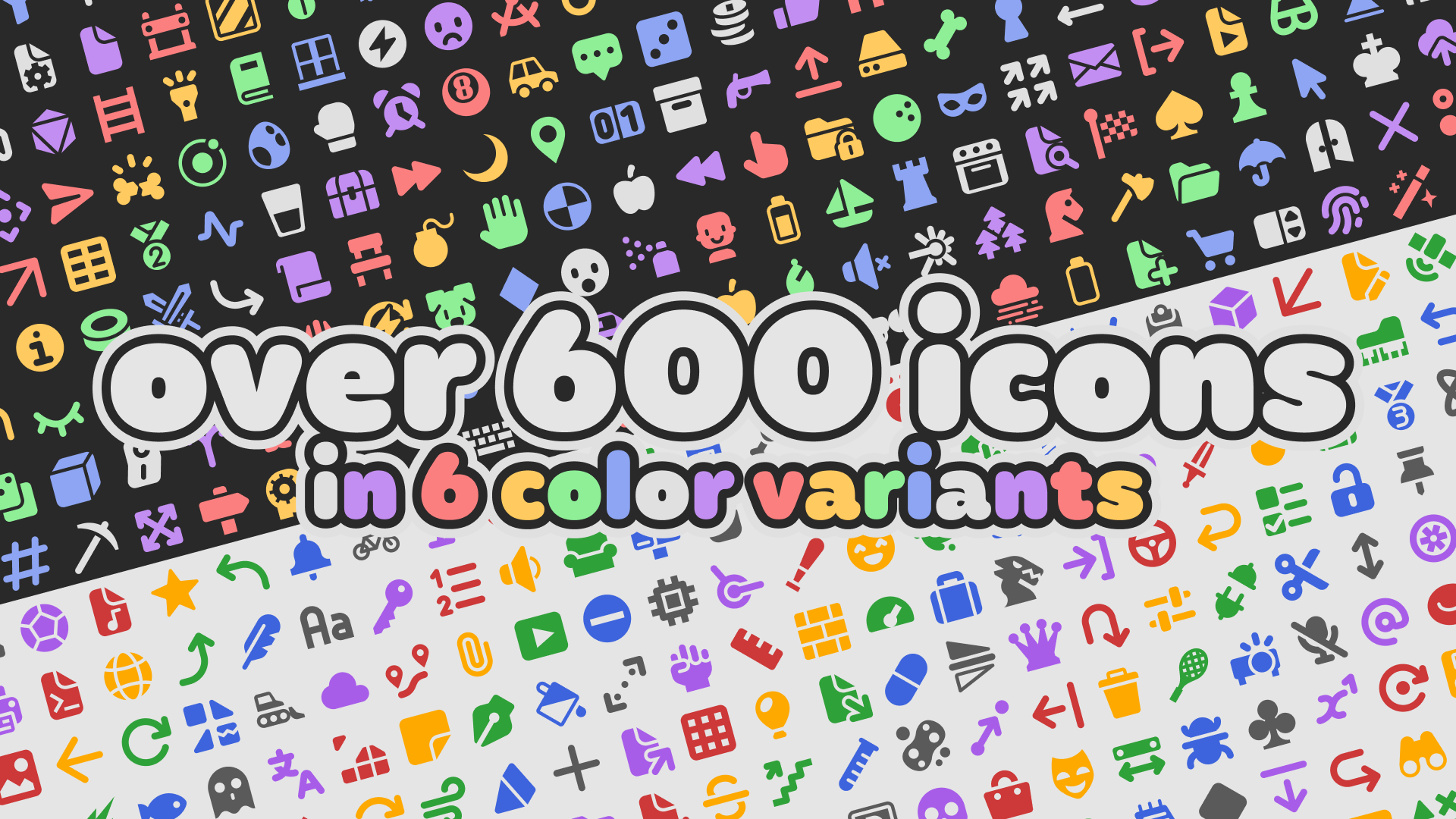
@icons is a free and open-source library of 600+ vector (SVG) icons you can use as custom node icons in your Godot projects or plugins, designed to fit with the existing set of editor icons, and optimized using svgo.
Each icon is designed on a 16×16 grid, with color variants corresponding to every node type. They're also configured to work with any editor theme and scaling settings out of the box!
Installing
Download the latest release of @icons, and extract it into the root of your Godot project's folder. If you wish to use the icons in your plugin or addon, you can also copy individual icons along with their respective .import files into your plugin's folder, as well as the library's license.
Applying custom node icons
To apply an icon to a node or class, add the @icon annotation (GDScript) or icon attribute (C#) to your node's script, followed by the path to the desired icon in parentheses and quotes before the class declaration, like so:
GDScript:
@icon ("res://addons/at-icons/node/bunny.svg")
class_name MyNode
extends Node
C#:
using Godot;

[GlobalClass, Icon("res://addons/at-icons/node/bunny.svg")]
public partial class MyNode : Node
{
    ...
}
(You might need to close and open the scene again for the icon change to occur.)
The plugin is bundled with an HTML picker (since v1.1.0) and an in-editor dock (since v1.3.0) to easily preview the icons and copy their respective declaration to the clipboard.
Excluding icons from exports
By default, all the icons contained in the plugin will get packaged when exporting your project to an executable. This may be undesirable, as under normal use, the icons are only seen in the editor and will not be actually visible in the exported project.
To prevent that unnecessary bloat, you may want to exclude the @icons addon resources from being exported.
Inside the Export menu, under the Resources tab, set the Export Mode to Export all resources in the project except resources checked below, and make sure the addons/at-icons/ is checked to mark it as excluded.
Changelog for version v1.5.0
2026-09-24 21:57:16
No changelog provided for this version.
Reviews
 Recommended
by Groblockia - 29 May 2026
Recommended
by Groblockia - 29 May 2026
works well, easy to use
Recommended
by Josh - 02 September 2026
Very nicely done icons with svg format. Has a built in icon picker that works fairly well.
Recommended
by Shane Majewski - 24 August 2026
Very nice. It doesn't help my game at all, but I love it :D
Recommended
by tiger tiger tiger - 06 October 2026
Using these in games and on my websites. Absolutely a huge and comprehensive icon set.
 Not recommended
by Mathieu Grenier-Boucher - 06 August 2026
Not recommended
by Mathieu Grenier-Boucher - 06 August 2026
This plugin is slowing down my editor soooooooo much! The startup can take up to 2-3min to stabilize. But, the icons are really beautiful and easy to use. Also, it's helping a lot to organize the scenes. Ill stop using it for now, cause it's making my editor running to slow. Maybe, ill check later if this is optimized. Im using Godot 4.7.
Not recommended
by Grant - 20 July 2026
The icons are beautiful and the icon browser is very cool, but unfortunately this plugin creates a noticeable slowdown in my editor. Just trying to save changes to a script with this plugin enabled takes about three seconds versus the near instant saving without the plugin. Even clicking on the folder in the FileSystem dock locks up my editor for a few seconds. This was very disappointing to me because I have a powerful rig, so I find it unlikely to be fault of my hardware. For reference, I was using v1.4.0 of the plugin in Godot 4.7.1.stable
Recommended
by malkeu - 24 July 2026
The icons and searching dock is really intuitive! The icons (which exist in each color) were causing lag, so I removed the colors I don't use via the `.gdignore` file and it got faster
Recommended
by Brendan LeVoy - 23 June 2026
thanks
Recommended
by Kosro - 29 May 2026
Super useful for addon developers & level design!
Recommended
by Marty Glaubitz - 11 June 2026
So usefull to make custom nodes easily identifyeable in the scene tree
Recommended
by wchc - 22 September 2026
Simply fantastic work! Beautiful and so easy to use!
Recommended
by Feymood - 05 July 2026
Quality icons fitting many situations. Makes it much easier to make addons that feel integrated.
Recommended
by Lyim - 21 July 2026
Phenomenal node icon kit.
Recommended
by NuncaDev - 29 May 2026
Nice
Recommended
by Brain On Oxygen - 20 June 2026
My workflow is much more efficient when I use more icons (as opposed to just text), and this saves me a lot of time from having to create my own. For anyone having trouble with slowdowns while importing it into Godot, one workaround is downloading the ZIP and taking out the icons you need as you need them. Over time you'll have a library of the icons your projects recur.
Recommended
by Sketched - 03 June 2026
Matches exactly with Godot's base style, huge recommend
Not recommended
by Joshua Hanson - 22 September 2026
It's quite an expansive library! I get that it is meant for node icons, but it would be nice if you could easily use them in texture properties without finding the file and picking it. It also takes a while to extract all the icons, as each one has six different color variants. Maybe if it was a little faster to load in and if it were easier to use them whenever you need a texture, such as buttons or sprites, etc. then I would definitely consider using it in all my non-game projects for UI!
Recommended
by Nicholas Bolen - 09 August 2026
Icons work very well and the tools for searching icons are really handy. This includes a ton of files so the first time import takes a bit. There's possibly room for optimization within the addon/assets, but Godot itself could probably use some improvements for bulk imports like this. Thank you!
Recommended
by noo - 07 July 2026
I have not yet used the icons in any of my projects, but the addon seems like an excellent addition to Godot toolbelt. I imagine I'll be using it everywhere in the future. The icon browser seems like a great qol feature as well, makes finding the right icon much easier and less cumbersome. Thank you!
Recommended
by CloudsCloudsClouds - 03 July 2026
Greatly useful. It helped me feel like my project stopped being a prototype
Recommended
by Ezcha - 03 June 2026
epic icons!
Recommended
by Blodyx - 07 August 2026
Beautiful godot-themed icons for every project.
Recommended
by Alen Lapidis - 28 May 2026
An amazing collection of diverse and useful icons, all at Godot's system icon resolution so they match perfect with the editor icons! I can't believe these are made available for free!
Recommended
by Greenfoot5 - 12 October 2026
Recommended
by Spydnel - 20 September 2026
Recommended
by trallkong - 28 August 2026
Recommended
by equoosh - 19 August 2026
Recommended
by Christophe - 18 August 2026
Recommended
by ignawesome - 17 August 2026
Recommended
by DrZerox - 15 August 2026
Recommended
by Kubulambula - 11 August 2026
Recommended
by shinkan - 10 August 2026
Recommended
by Ultragigasaur - 04 August 2026
Recommended
by Bluepixeldev - 03 August 2026
Recommended
by Cyklon_3000 - 01 August 2026
Recommended
by Avery - 31 July 2026
Recommended
by Victor Meunier (MrEliptik) - 27 July 2026
Recommended
by DRD - 26 July 2026
Recommended
by Mao - 08 July 2026
Recommended
by Tony Kate - 07 July 2026
Recommended
by snowfruit - 06 July 2026
Recommended
by bishan_ - 01 July 2026
Recommended
by Lwf - 30 June 2026
Recommended
by hugo_mdnn - 24 June 2026
Recommended
by enderprism - 24 June 2026
Recommended
by Tyler Febonio - 20 June 2026
Recommended
by Maximilian Taubert - 18 June 2026
Recommended
by FluffyFish Dev - 15 June 2026
Recommended
by freesnipergang#7134 - 14 June 2026
Recommended
by CoffeeForSupper - 07 June 2026
Recommended
by parallax_rat - 03 June 2026
Recommended
by SirJoe - 01 June 2026
Recommended
by Bulat Graves - 01 June 2026
Recommended
by neRIA - 31 May 2026
Recommended
by tcn - 29 May 2026
Recommended
by Tuily - 28 May 2026
Recommended
by David Satrio - 28 May 2026
Recommended
by Adrien Lucas - 28 May 2026
Recommended
by Bruno Belmonte - 28 May 2026
Login to write a review.