Godot Input Icons


 |
 |
|---|
This is a godot plugin that helps to display user registered actions and controller icons into a TextureRect control by introducing a new control InputIconTextureRect. This plugin also provides a way to get an action's icon at runtime
Table of Contents
✨ Features
- InputIconTextureRect: A new control node that displays icons registered with the input icons plugin.
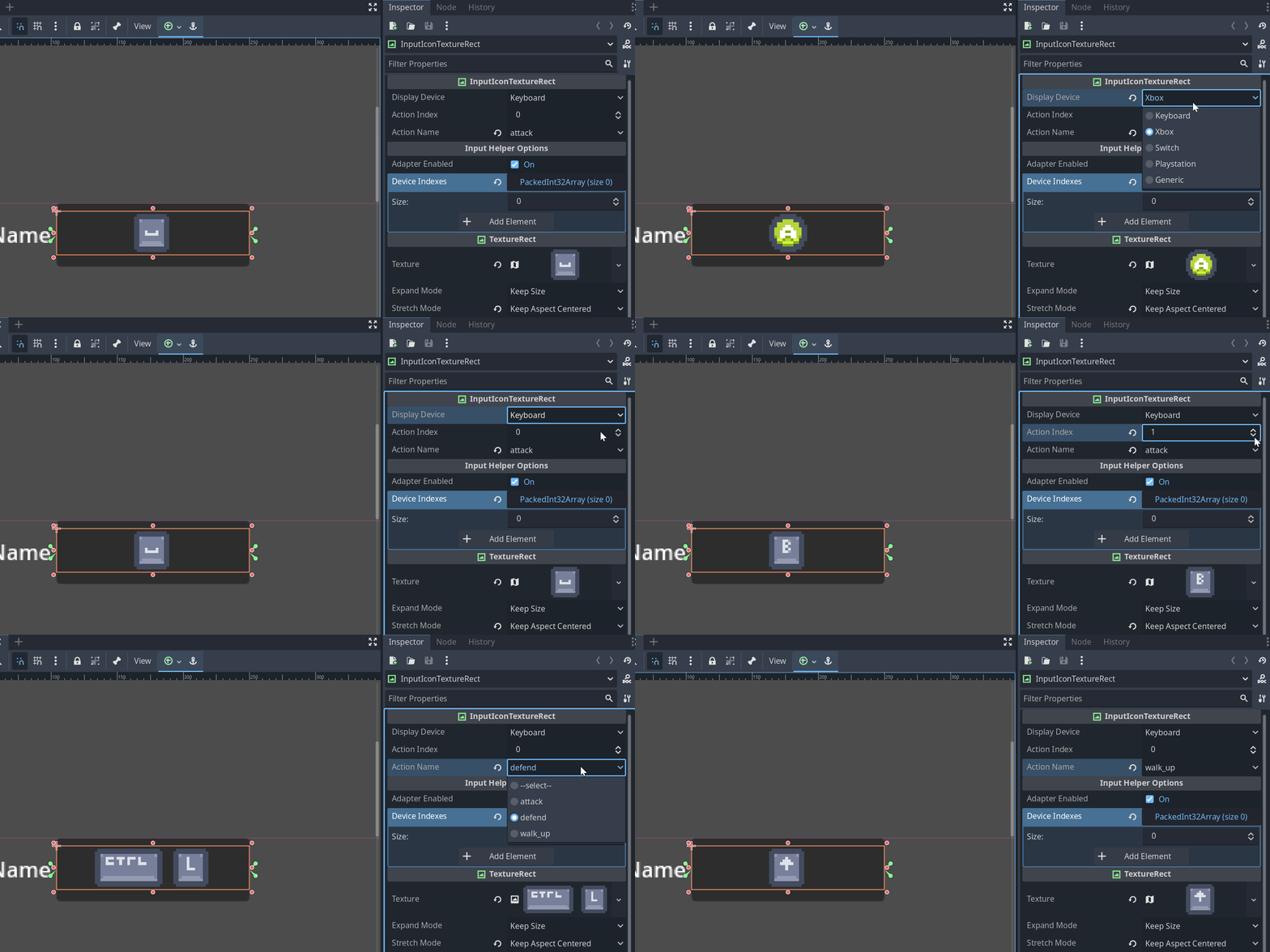
- Helps developers visualize their input icon textures for different input types in the editor as well as responds to changes in values at runtime
- Select from list of registered user inputs
- InputIconResolver: A godot object that can be instantiated to resolve input icons at runtime
- Supports modifier keys (shift, ctrl, etc)
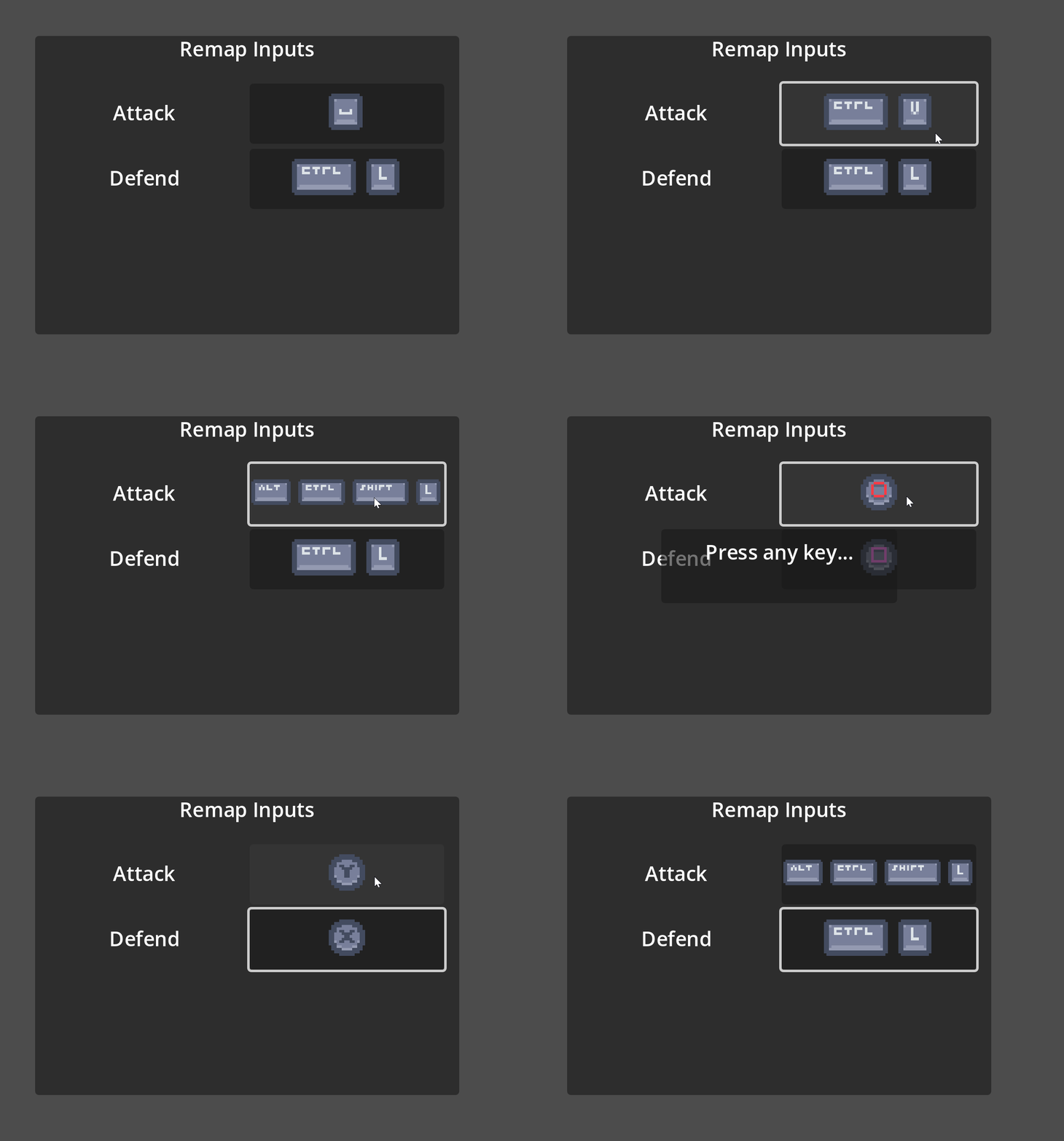
- Remap Input Demo: A demo of how to use this plugin to remap inputs and display their icons in game
- Godot Input Helper integration: Integrate's with Nathan Hoad's godot input helper plugin to help simplify tedious controller tasks such as:
- Swapping textures when controls are remapped for any device (keyboard, controller)
- Swapping displayed textures from keyboard to controller and vice-versa
- Completely optional!
> Note: Remap input demo requires Input Helper Integration
🛠️ Requirements
- Godot Engine: Version 4.4.X or higher.
🖥️ Installation
- Download the source of the repository and copy
addons/godot_input_iconsand place itres://addonsfolder in your godot project - Open your project and enable the plugin under
Project > Prject Settings > Pluginsand enableInput Icons
📝 How to use
The plugin is usable out of the box without doing anything but using the new control node.
- Add the
InputIconTextureRectto your scene Click on it and open the inspector there will be 3 properties
- Display Device: The device to use when choosing what input type to display in the texture
- Action Index: The index of the registered user input action to use when choosing which icon to display in the texture
- Action Name: A user registered action name (select from registered actions!)
Registering your own icons
The input icons plugin comes with default input maps that can be used but you can also create your own:
- Add a new
IconMapResourceanywhere in your project. Fill the resource out with your input icons - Register your icon map resource with the plugin:
Project > Prject Settings > General > Input Helper > Settings > Input Icons Map
- Add a new
> NOTE: Alternatively just change the default ones!
Using Input Helper Integration
- First install godot input helper and enable it
Enable the input helper adapter in the project settings under
Project > Prject Settings > General > Input Helper > Settings > Use Input HelperThere are now extra properties added to the
InputIconTextureRect- Adapter Enabled: When enabled the
InputIconTextureRectwill respond to input changes and controller remappings automatically using the input helper plugin - Device Indexes: The device indexes that the input map should (Set to empty array to listen to any device)
- Adapter Enabled: When enabled the
> NOTE: Default is [-1, 0] as that is keyboard and mouse + first controller input
📚 Documentation
For a detailed history of changes, see the Changelog.
🤝 Contributing
Thanks for your interest in contributing. Please follow these guidelines to keep the project consistent and maintainable in the long-term.
See something you want or could improve upon? Make an issue or a PR! ✨
Code Style & Recommendations
- Follow the official godot style guide conventions
📋 Changelog
See the CHANGELOG.md file for a detailed list of changes in each version.
📜 License
This project is licensed under the MIT License. See the LICENSE file for details.
Changelog for version v0.0.1
No changelog provided for this version.