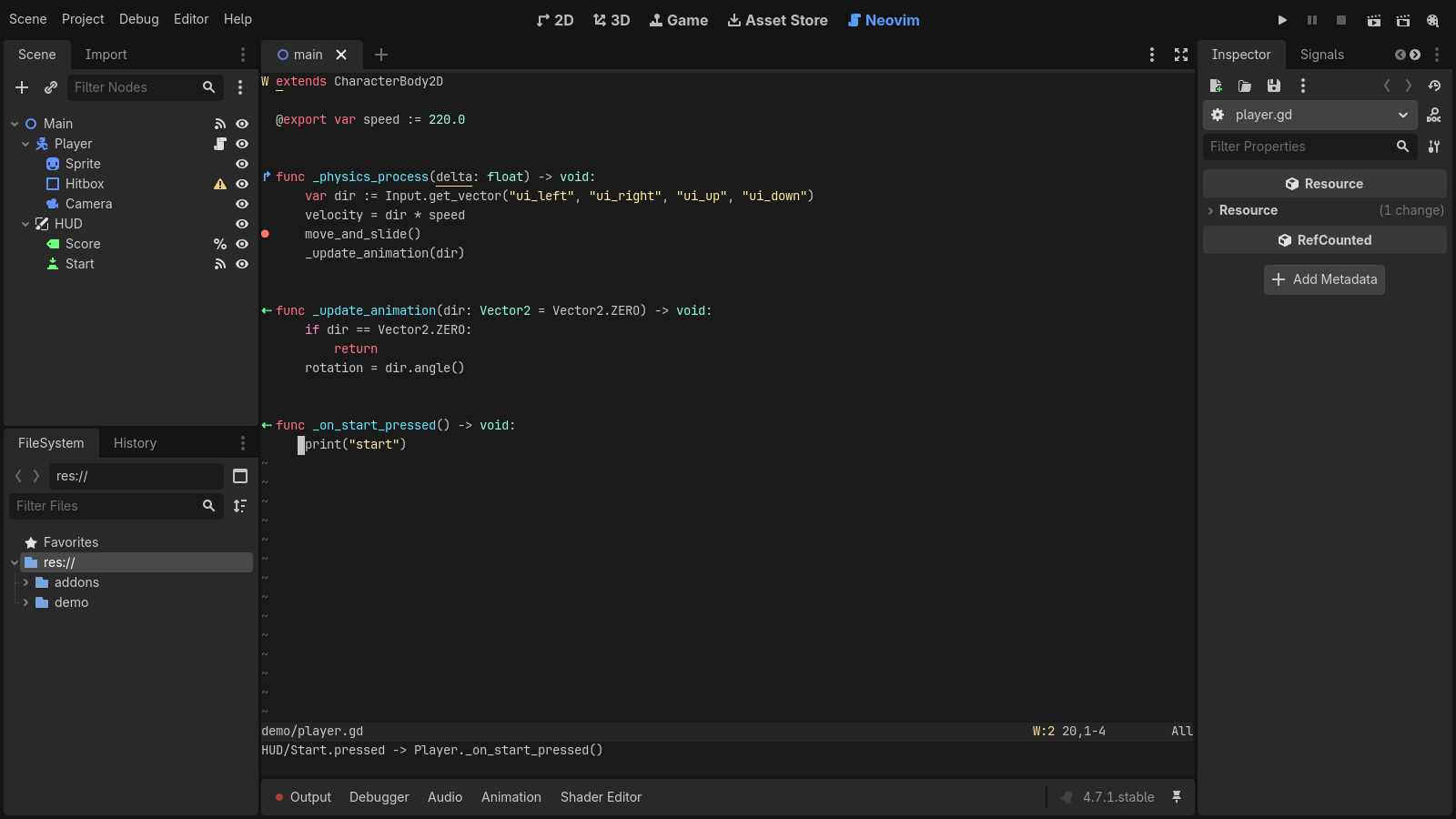
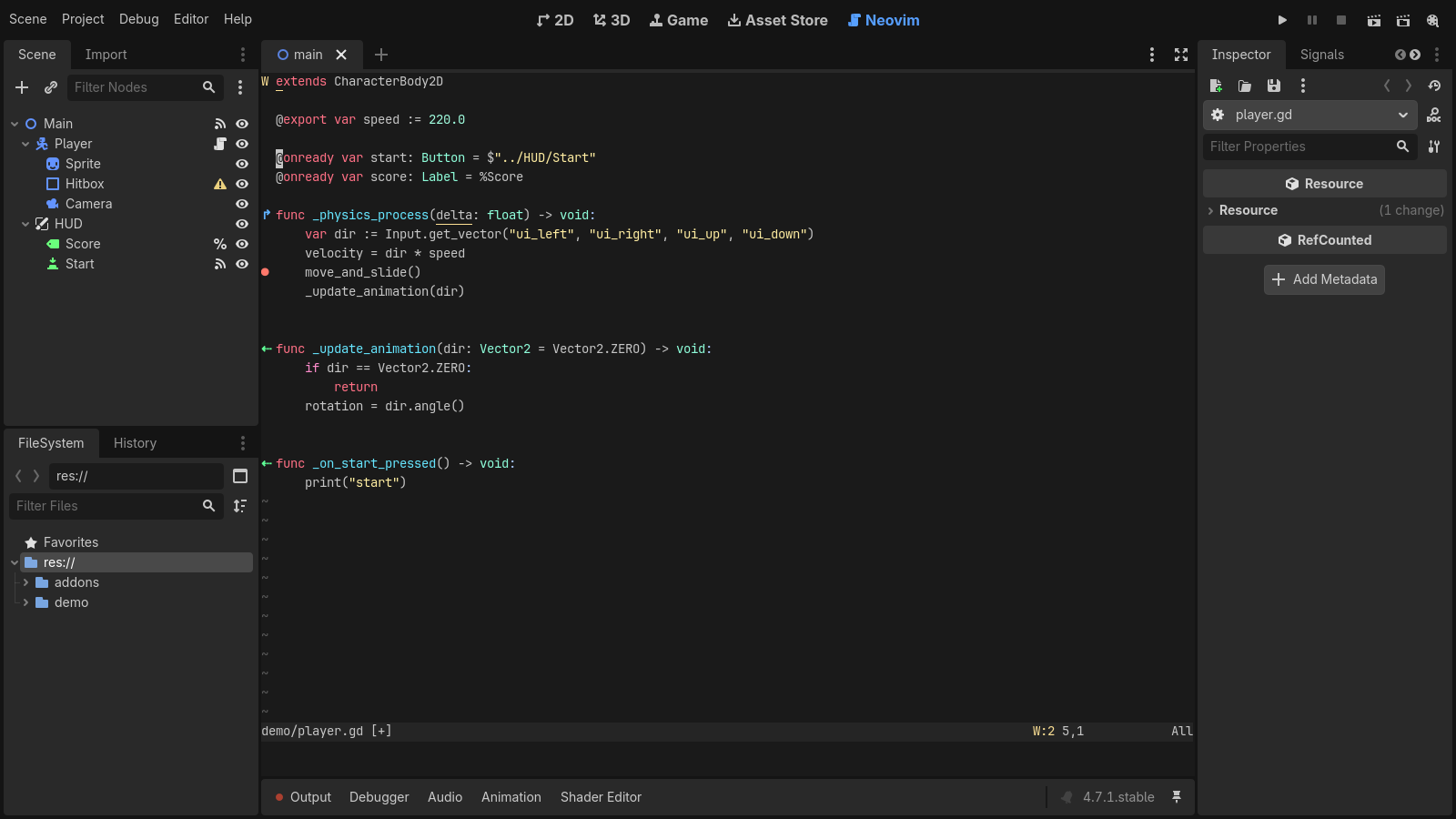
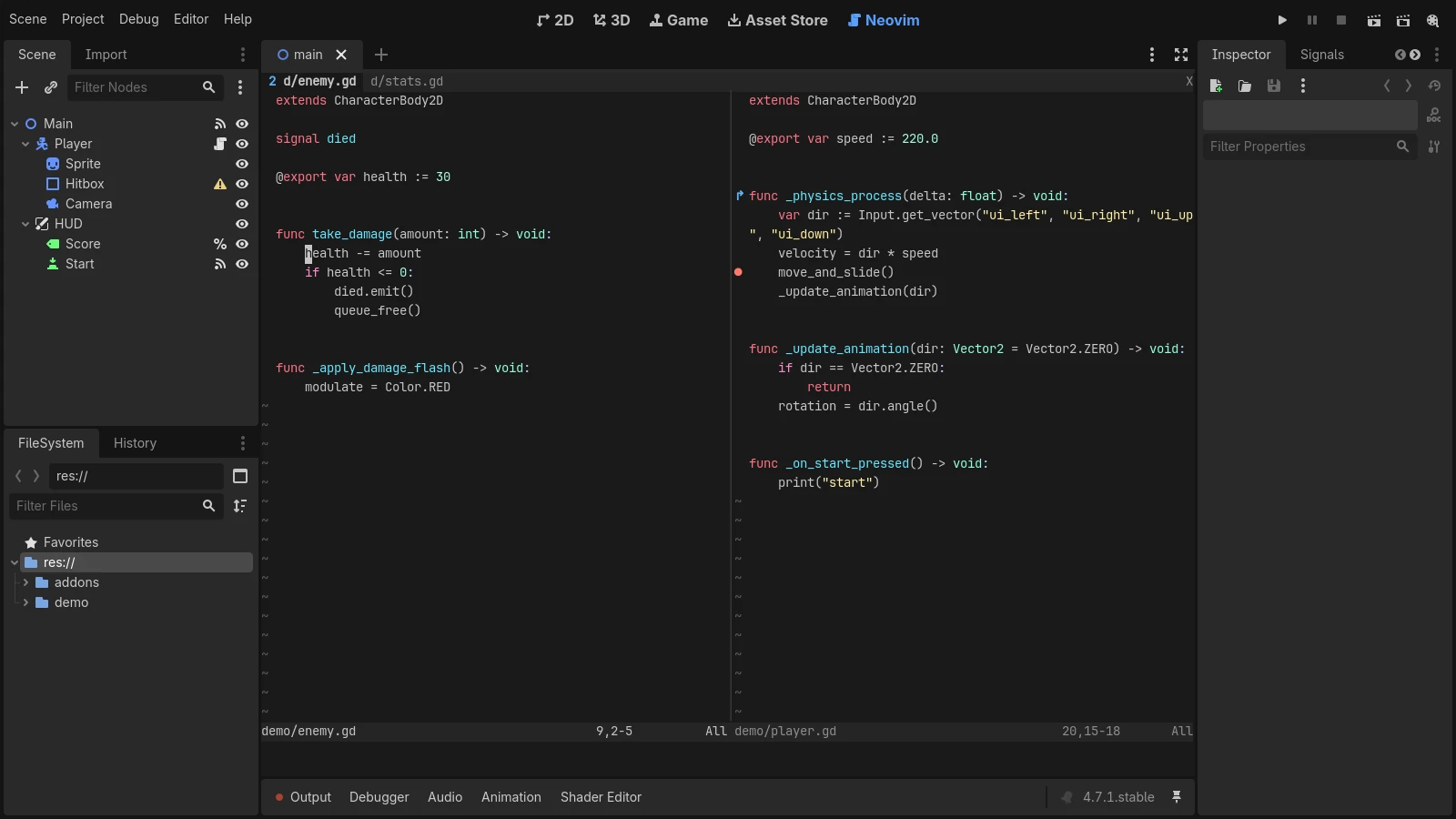
A Godot 4 editor plugin that edits GDScript, shaders and other text files in
an embedded Neovim, drawn inside the editor with Neovim's UI protocol
(ext_linegrid). It keeps the parts of Godot's script editor that matter and
adds what it doesn't have. Your Neovim config, plugins and keymaps load as
usual.
Features
Editing
- Open scripts, shaders (
.gdshader,.gdshaderinc),.jsonand plain text files (.cfg,.txt,.md, …) from the FileSystem dock, and they open in the Neovim tab.:wsaves, and Godot reloads the file. - Unsaved buffers are written when you save a scene or run the project, and Godot asks about them when it closes, as with its own script editor.
:qon the last window closes the file instead of Neovim, so Neovim keeps running for as long as the editor does. If it exits anyway, it restarts on the last file.
Drag and drop
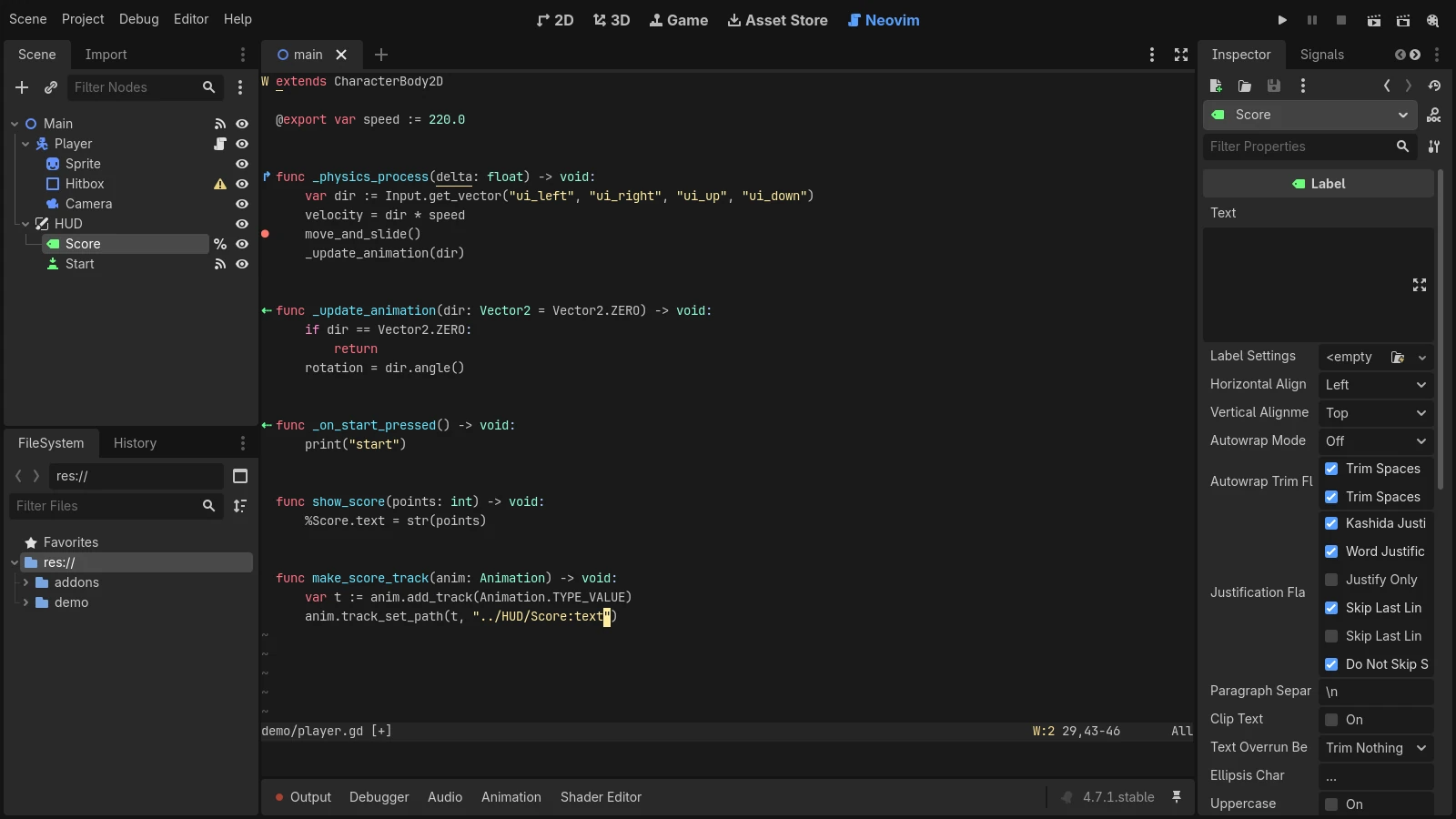
- Drop a node from the Scene dock to insert
$Path/To/Node(or%Name). Hold Ctrl (Cmd on macOS) to insert an@onready varfor it instead. - Drop a file from the FileSystem dock to insert
"res://path", or with Ctrl/Cmd, aconst Name = preload("res://path"). - Drop a property from the Inspector to insert
$Path/To/Node.property, or with Ctrl/Cmd, the NodePath string"Path/To/Node:property"that animation tracks take.
Language server
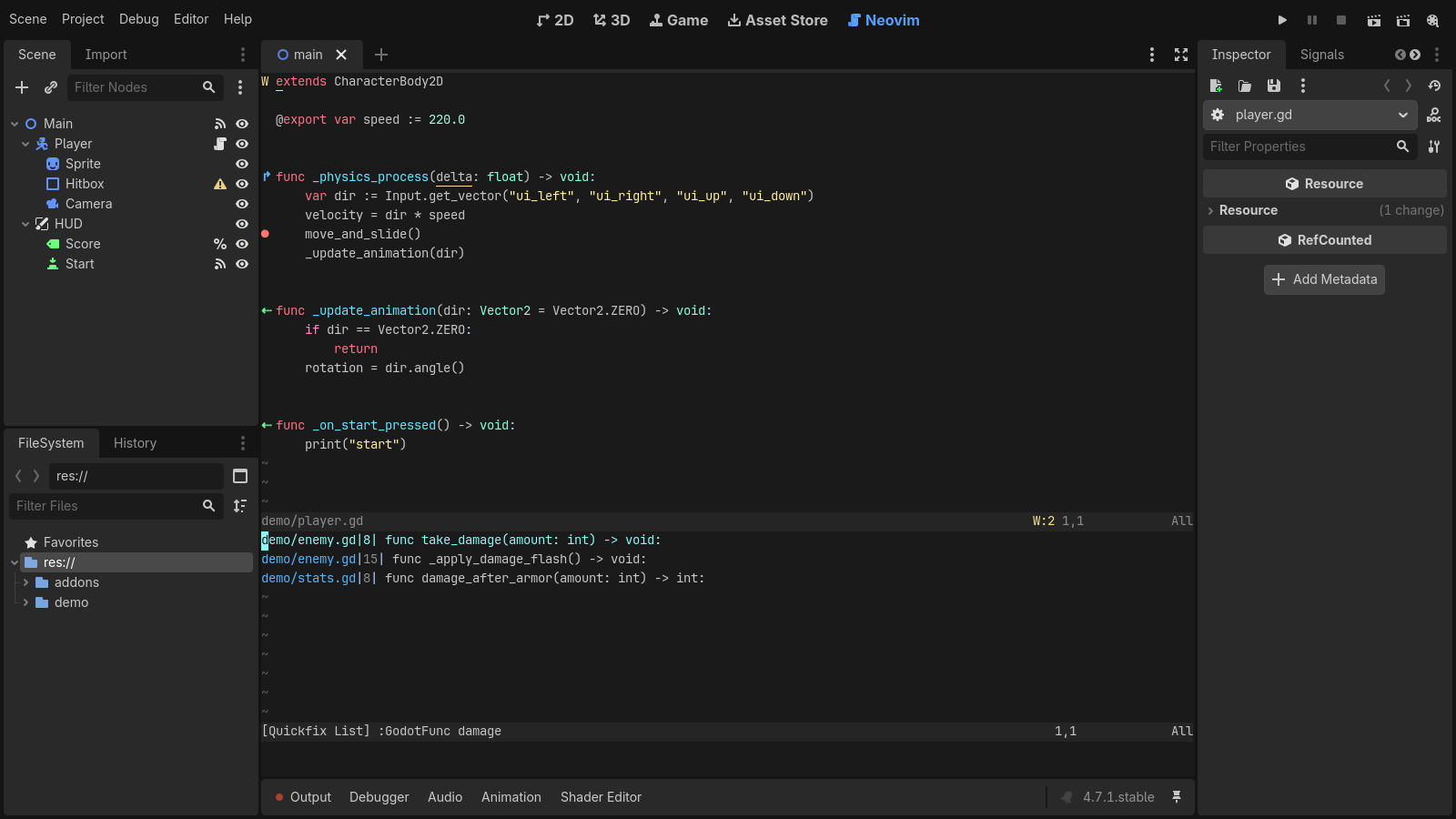
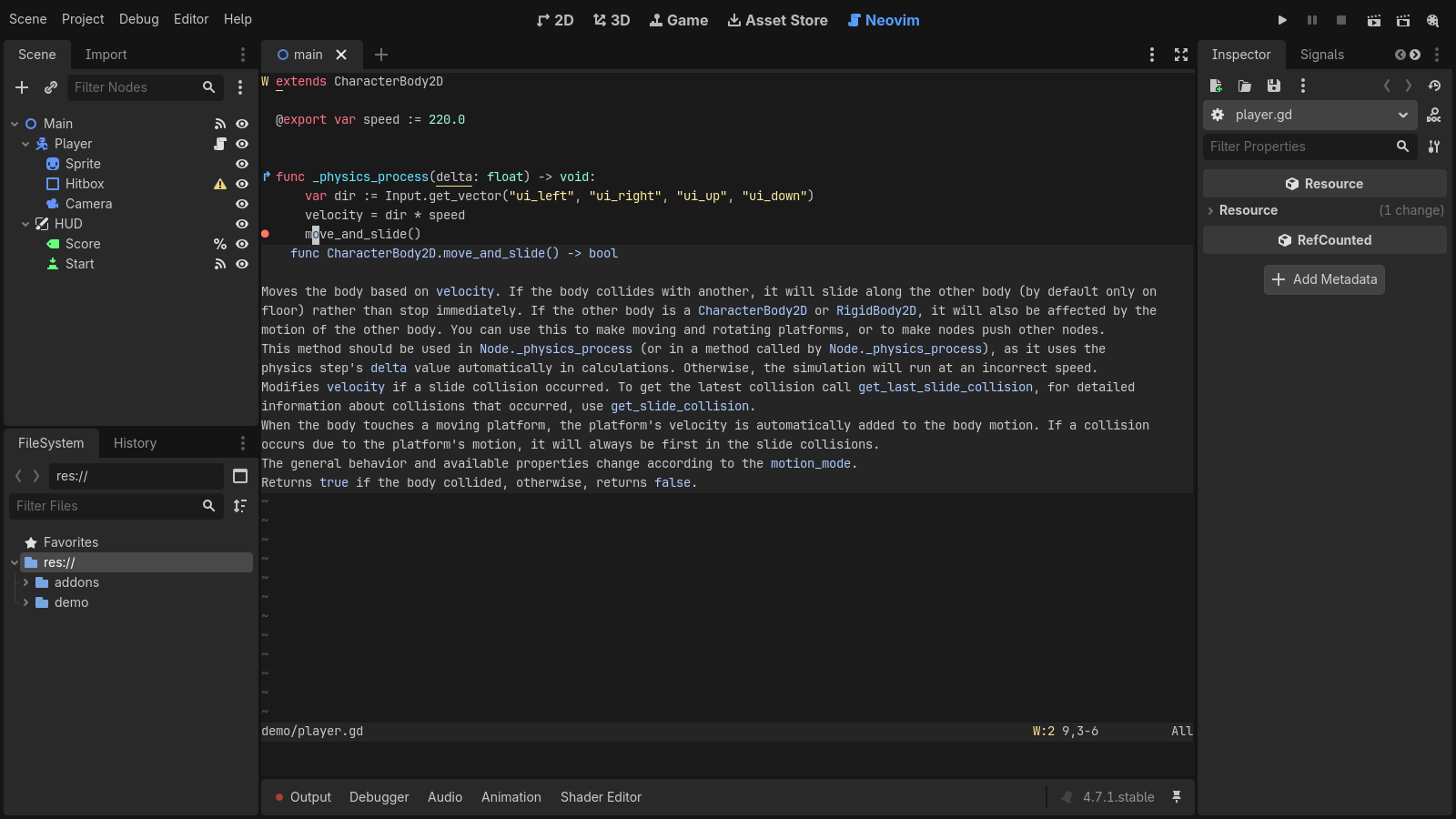
.gdbuffers connect to the GDScript language server the editor runs: hover docs (including the engine class reference), go-to-definition, references, rename and completion.:GodotFunc <name>jumps to a function anywhere in the project, with name completion. Godot's language server has no project-wide symbol search.
Debugger
- Breakpoints show as signs in the gutter and stay in sync with Godot's Breakpoints list, whichever side sets them. They turn grey while Skip Breakpoints is on.
F9,:GodotToggleBreakpointor a double-click on the gutter toggles one. Signs move with your edits, and Godot's breakpoints follow on:w.- Double-clicking a breakpoint, error or stack frame in the debugger opens the file in Neovim at that line.
Signals and overrides
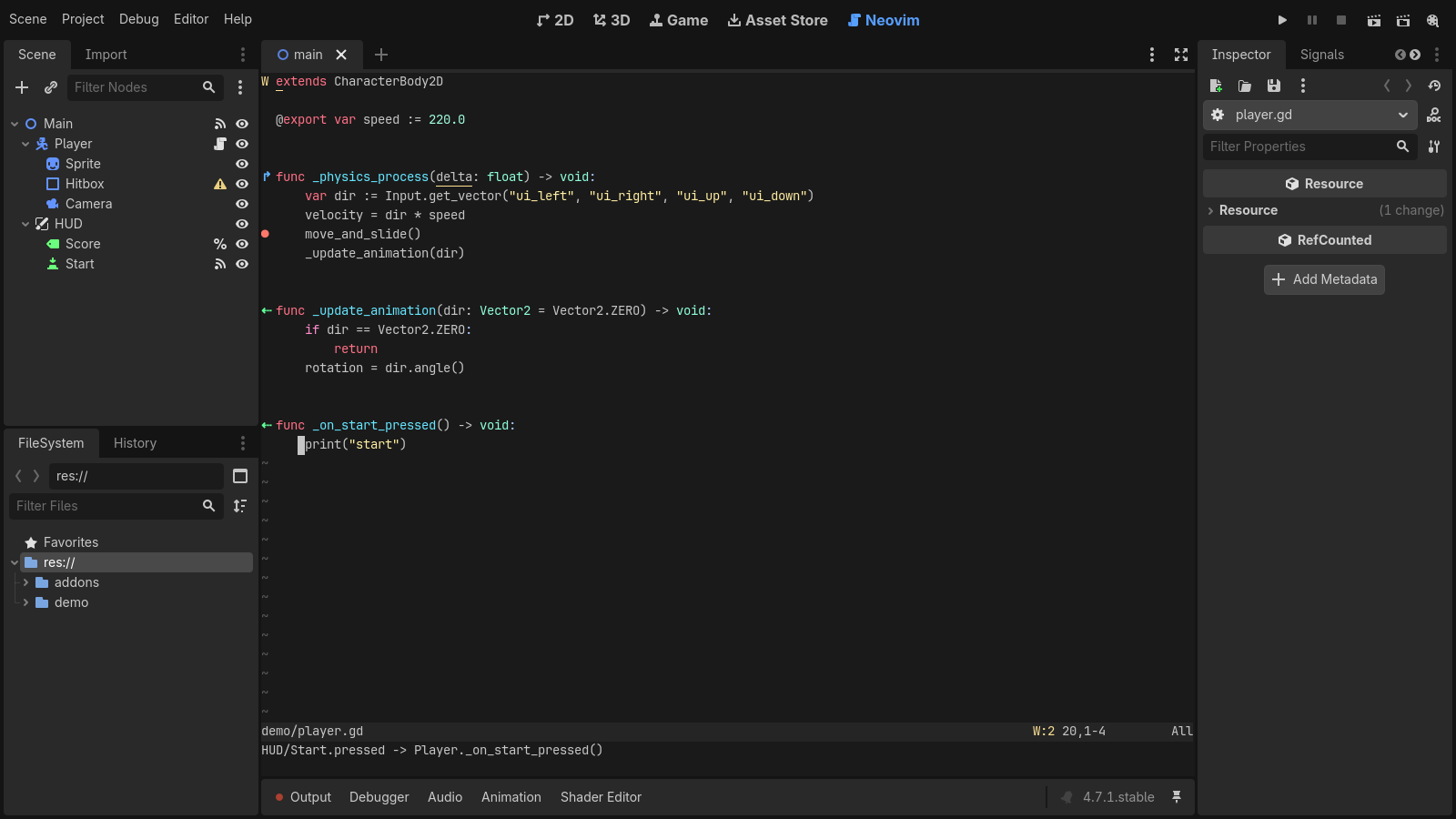
- Signs mark methods that a signal in the edited scene connects to, and methods that override a base class, in the colors of Godot's own icons.
:GodotConnectionslists the signals and the overridden method for the function under the cursor. A connection to a missing method shows as a warning.
Running
- Godot's run, pause and stop shortcuts keep working while you type, following your bindings in Editor Settings → Shortcuts.
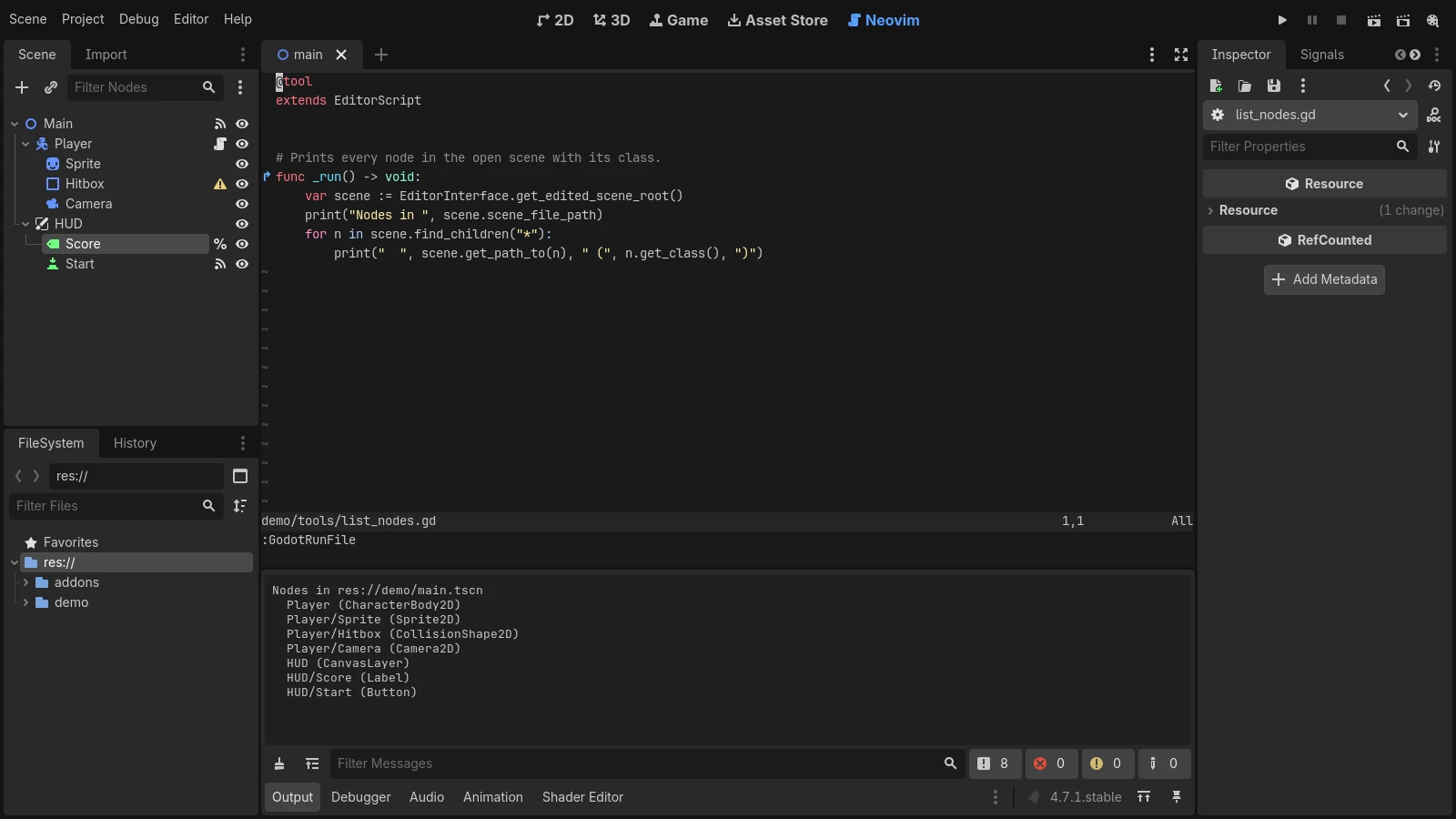
:GodotRun,:GodotRunCurrent,:GodotRunScene,:GodotPauseand:GodotStopdo the same from Neovim.:GodotRunFileruns a@toolEditorScript, as the script editor's File → Run does. Itsprint()output goes to the Output panel.
Formatting
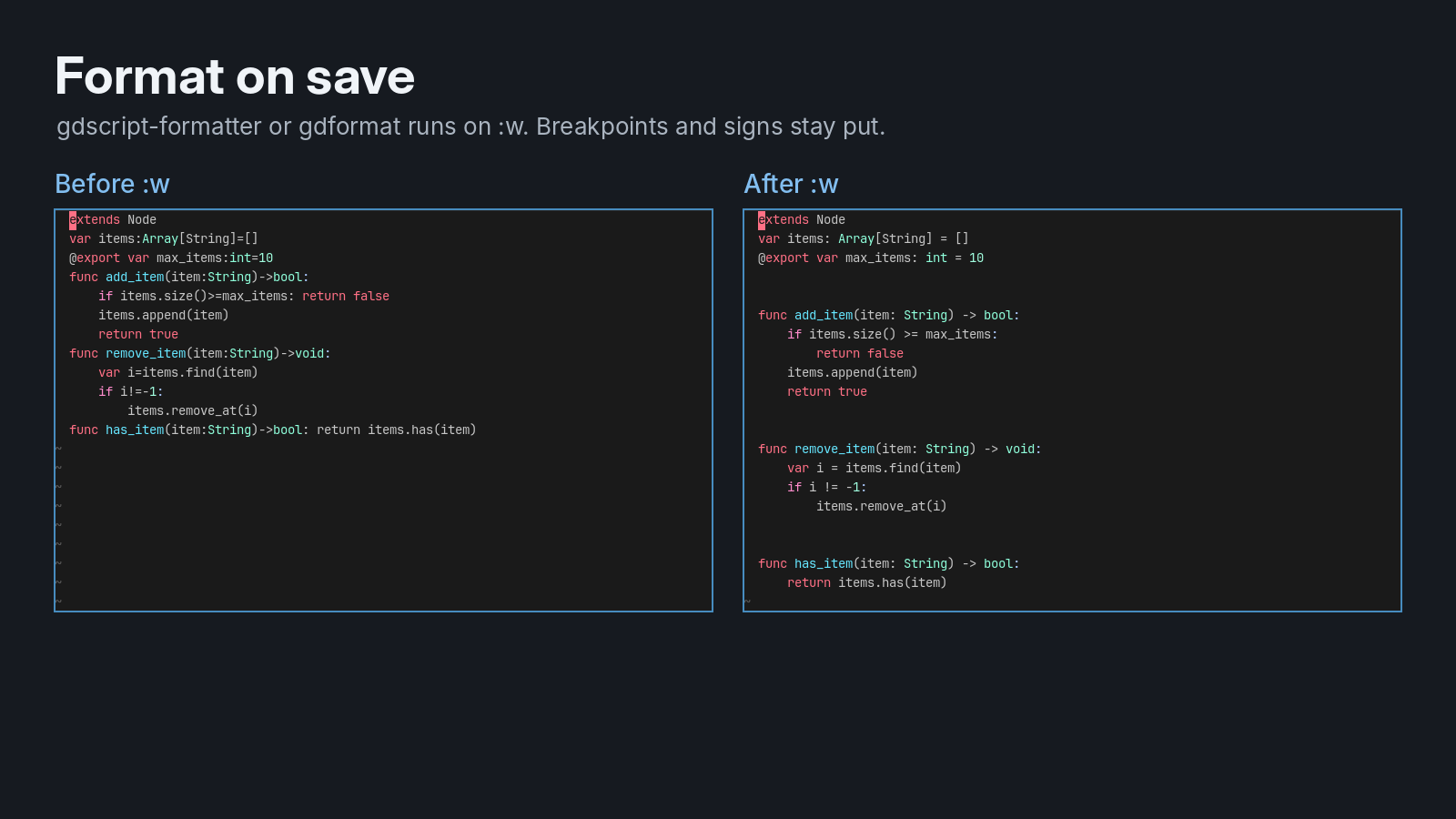
- GDScript files are formatted on save with GDQuest's
gdscript-formatteror gdtoolkit'sgdformat, whichever is installed. Only changed lines are replaced, so breakpoints, marks and the cursor stay put, and oneuundoes your change and the formatting together. :GodotFormatformats on demand.
Colors
- Neovim takes its colors from the script editor's theme and follows it when
you change it.
:colorscheme godotswitches back after using another. - vim2godot, a separate command-line tool in the same repository (prebuilt for Linux, macOS and Windows in each GitHub release), goes the other way: it turns any Vim or Neovim colorscheme into a Godot editor theme.
Sessions
- Open files, cursor positions, splits and tabs are saved when the editor closes and come back when the project reopens.
Scene tabs
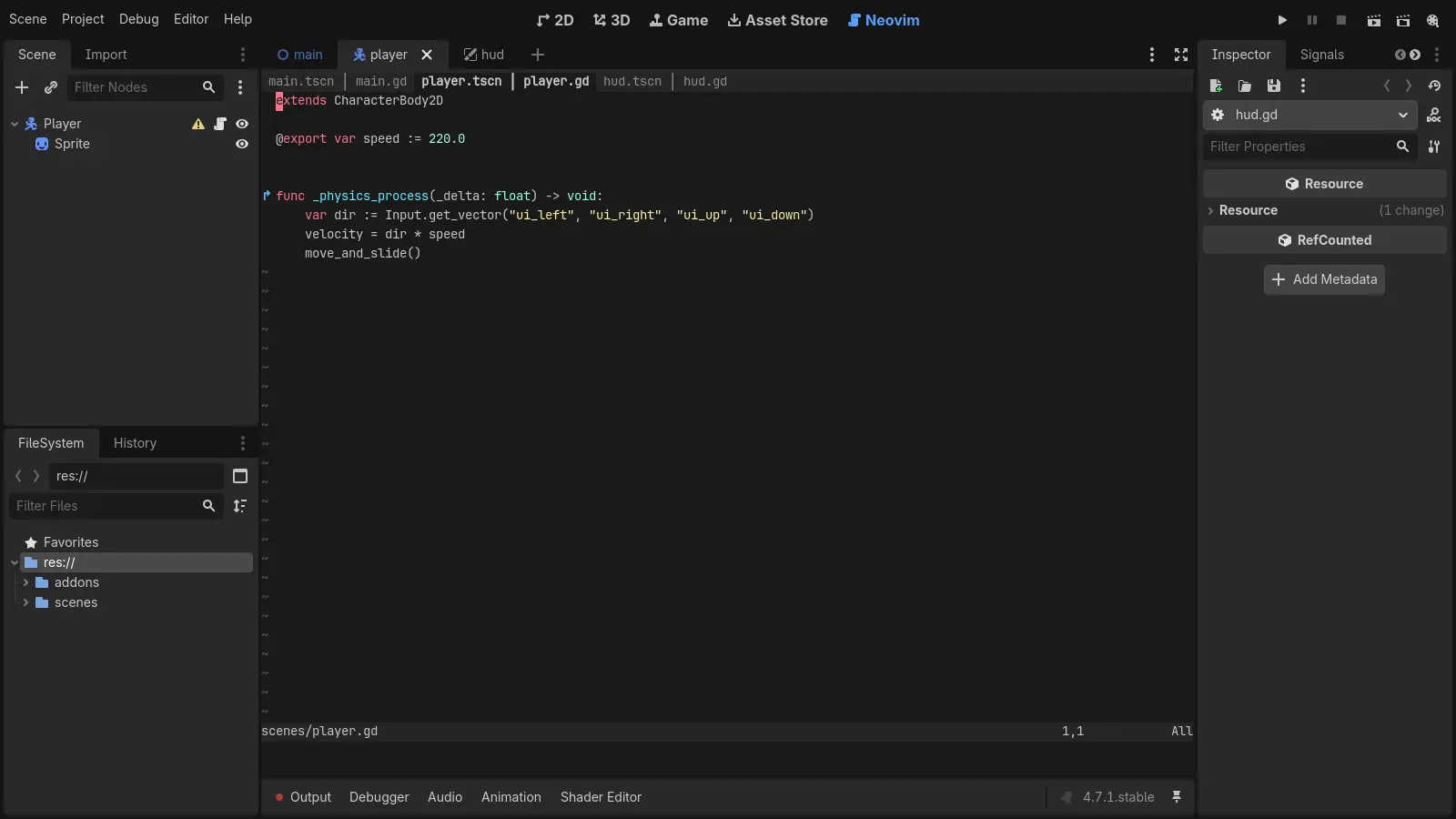
- Each open scene gets its own Neovim tab page. Switching scenes in Godot switches tab pages, and switching tab pages in Neovim switches the scene.
Editor profiles
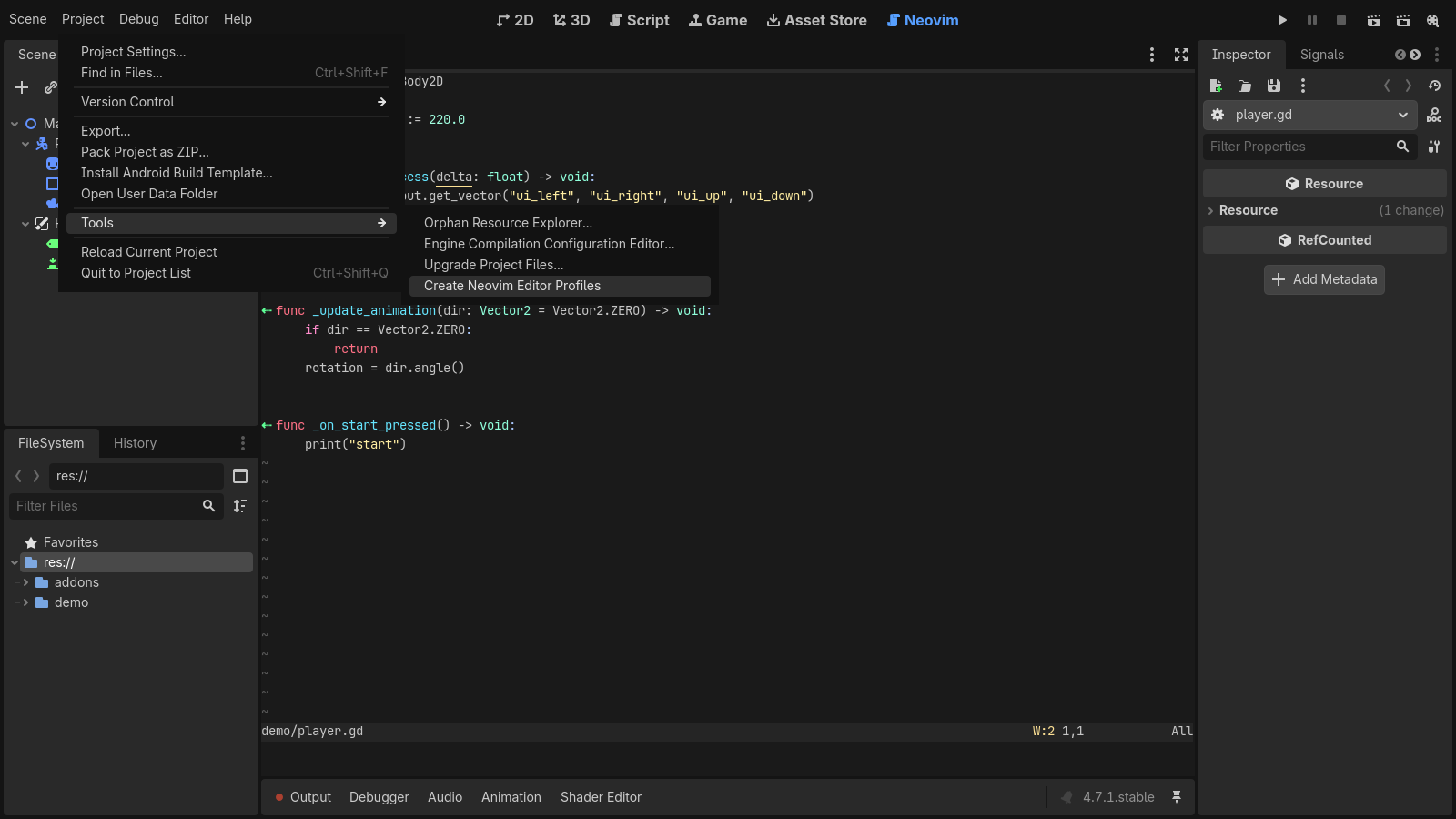
- Project → Tools → Create Neovim Editor Profiles makes copies of your editor feature profiles with the Script tab hidden, so Neovim is the only script editor, and offers to switch to one.
Requirements
- Godot 4.5 or newer. The tests pass on 4.5.1, 4.6.1 and 4.7.1. On 4.4
the editor can be killed by
SIGPIPEwhen Neovim stops, and 4.3 lacks APIs the plugin uses. - Neovim 0.11 or newer, installed separately.
- Optional:
gdscript-formatterorgdformatfor format on save. - Platforms: Linux is tested. macOS is in daily use. Windows should work but is untested; reports welcome.
Installation
- Install Neovim.
- Download the asset, or
godot_nvim-<version>.zipfrom the GitHub releases, and copyaddons/godot_nviminto your project'saddons/folder. - Enable Neovim Script Editor under Project → Project Settings → Plugins. A Neovim tab appears next to 2D / 3D / Script.
- Optional: run Project → Tools → Create Neovim Editor Profiles to hide the Script tab. Godot otherwise keeps opening its own script editor alongside.
The plugin looks for nvim in /opt/homebrew/bin, /usr/local/bin and
/usr/bin, since apps started from the macOS Dock don't see your shell's
PATH. Neovim starts in the project folder and loads your usual config.
Configuration
Editor Settings → godot_nvim/ (some need Advanced Settings on):
| Setting | Default | What it does |
|---|---|---|
nvim_path |
found automatically | The nvim binary |
nvim_args |
empty | Extra arguments for Neovim, such as -u NONE |
connect_lsp |
on | Attach Godot's GDScript language server to .gd buffers |
use_editor_colors |
on | Use the godot colorscheme built from the script editor's colors |
format_on_save |
on | Format .gd files when saving, if a formatter is installed |
formatter_command |
empty: gdscript-formatter, else gdformat - |
The formatter command; reads stdin, prints the result |
restore_session |
on | Save the open files, cursors, splits and tabs on close and restore them on open |
link_scene_tabs |
on | Give each open scene its own Neovim tab page, and switch them together |
start_clean |
off | Start Neovim with --clean, without your config and plugins, to rule them out when something misbehaves |
From your Neovim config:
- If you already set up a
gdscriptLSP client, the plugin uses yours. - Restyle the signs with the highlight groups
GodotBreakpoint,GodotBreakpointSkipped,GodotSignalSlotandGodotMethodOverride, and change their glyphs withvim.g.godot_nvim_slot_sign,vim.g.godot_nvim_override_signandvim.g.godot_nvim_override_slot_sign. vim.b.godot_nvim_format = falseskips formatting for one buffer.- Your own
F9or<2-LeftMouse>mappings are left alone.
The language server's host and port come from Editor Settings →
network/language_server/. The run shortcuts follow Editor Settings →
Shortcuts.
Architecture
The plugin starts nvim --embed with OS.execute_with_pipe and talks to it
over msgpack-RPC, written in GDScript with no native code. Neovim draws
through the ext_linegrid UI protocol into a Control on the editor's main
screen, which sends keyboard, mouse and drop events back. A Lua module loaded
into Neovim handles the Neovim side: save and buffer notifications, :q,
sessions, signs, LSP setup and the commands. An EditorDebuggerPlugin forwards
the debugger's go-to-line and breakpoint events.
| File | What it does |
|---|---|
msgpack.gd |
MessagePack encoder and streaming decoder |
nvim_rpc.gd |
Starts nvim --embed, msgpack-RPC requests and notifications |
nvim_grid.gd |
ext_linegrid screen state (cells, highlights, cursor, mode) |
nvim_view.gd |
Control that draws the grid and sends keyboard, mouse and drops to Neovim |
nvim_keys.gd |
Turns Godot key events into Neovim key notation |
drop_text.gd |
Builds the text for dropped nodes, files and Inspector properties |
godot_nvim.lua |
Neovim side: notifications, :q handling, sessions, drops, signs, LSP setup, commands |
theme_colors.gd |
Reads the script editor's colors for Neovim's godot colorscheme |
nvim/colors/godot.lua |
The godot colorscheme |
debugger_bridge.gd |
EditorDebuggerPlugin: forwards the debugger's go-to-line and breakpoint events |
editor_profiles.gd |
Makes the -neovim editor feature profiles |
plugin.gd |
EditorPlugin: the main-screen tab, opening files, settings, breakpoint, connection, override and color sync, run actions |
Limitations
- Godot's breakpoint API lives in its own script editor, so the plugin keeps scripts with breakpoints open there in the background.
- Godot's own editors still load each file in the background: plain text files get a tab in the script editor, and shaders may open the shader editor panel. The engine does this before any plugin sees the file. Edit in Neovim only, or the copies can drift apart.
- Only one grid (no
ext_multigrid): the popup menu, cmdline and messages are drawn by Neovim inside the grid. - Scenes and
.tresresources still open in their usual editors. - The session doesn't save options, mappings or windows on scratch buffers such as file trees, and deleted files don't come back.
- Godot's language server has no project-wide symbol search, which is why
:GodotFuncexists; it only finds functions in.gdfiles under the project. - Windows is untested.
Changelog for version v0.6.0
2026-11-17 07:30:00
No changelog provided for this version.