PresetDict and PresetDictArray
Creates two new Resource classes called PresetDict, which is designed to preserve a dictionary's keys from accidental editing in the inspector; and PresetDictArray which holds an Array[Dictionary] that can only hold Dictionary elements of a preset format.
For reference, PresetDict ends up being similar to something like the struct from Rust, and PresetDictArray is just an array of those struct values.
Compatibility
This has been tested on Godot 4.6, but would certainly work for several older 4.x versions of Godot.
This seems to conflict with the otherwise excellent plugin Dictionary Inspector.
Installation
You can clone this repo, but you could also simply copy the two script files files from /addons/PresetDictArray/ and put the files anywhere in your project's files and they would work. These two scripts do not depend on each other.
Since these are just scripts rather than a plugin, nothing related to this asset will appear in your Plugins menu.
Uninstallation
Simply delete the files and/or folder.
What It Does
PresetDict
PresetDict is a Resource that contains two variables: dict (a Dictionary) and keys_locked (a Boolean). The idea is that you can set up the dictionary the way you want it, complete with some default values, then lock the dictionary's keys and save it as a resource for use elsewhere.
I personally like to add another line for the "name" of the resource at the start of this script, but didn't include it here so as to keep it more general purpose. I do that so it shows up in the inspector more clearly labeled. That line would just look like this in the PresetDict.gd file:
@export var res_name : String
PresetDictArray
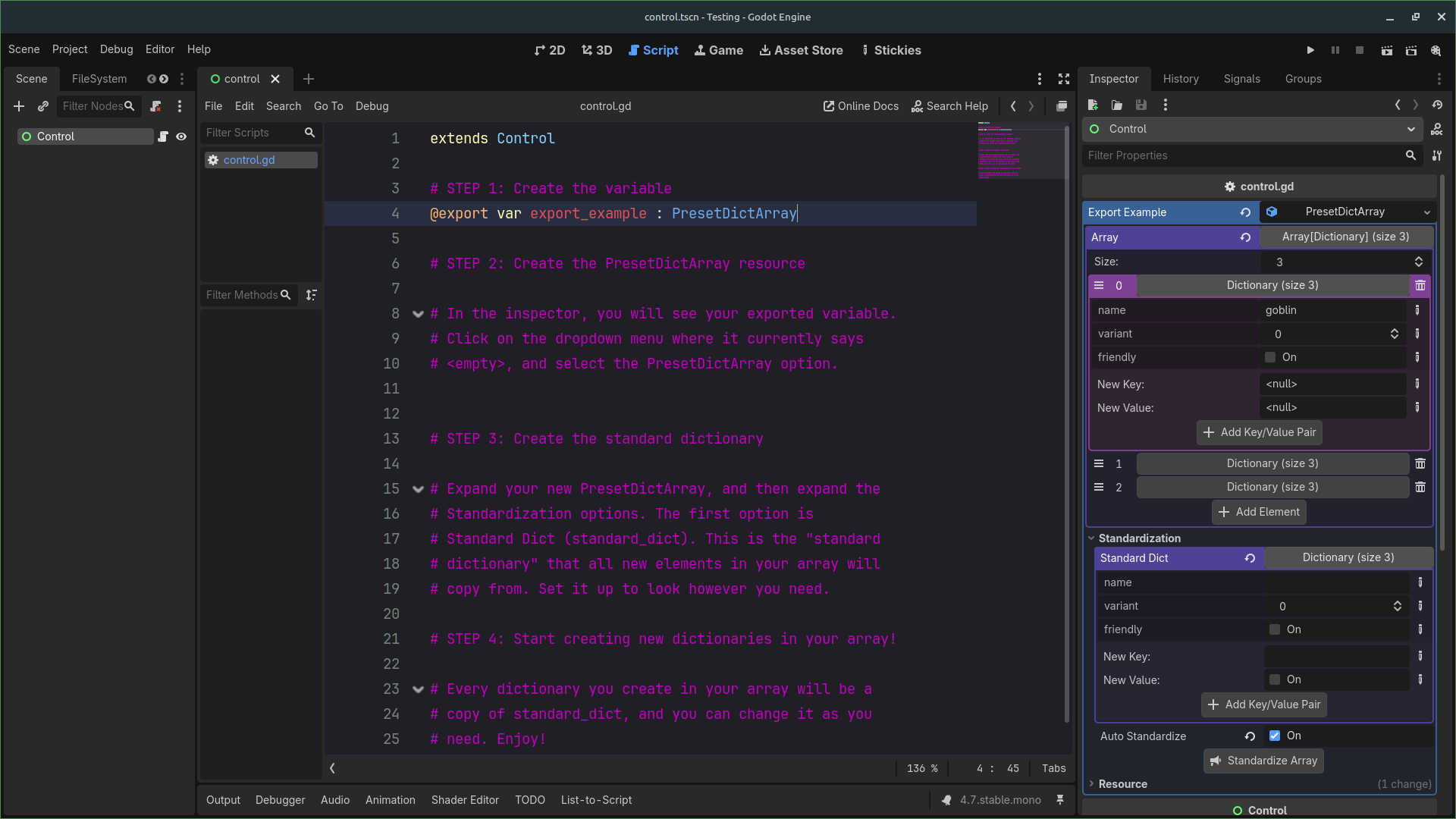
PresetDictArray is a Resource that contains two variables: standard_dict (a dictionary) and array (an Array[Dictionary]). Any time you add a new element to array, that element becomes a copy of standard_dict automatically (standard_dict is under the Standardization group).
The idea is that you can create an exported variable in your script to more rapidly create sets of standardized Dictionaries quickly, especially through the inspector.
@export var array_dict : PresetDictArray
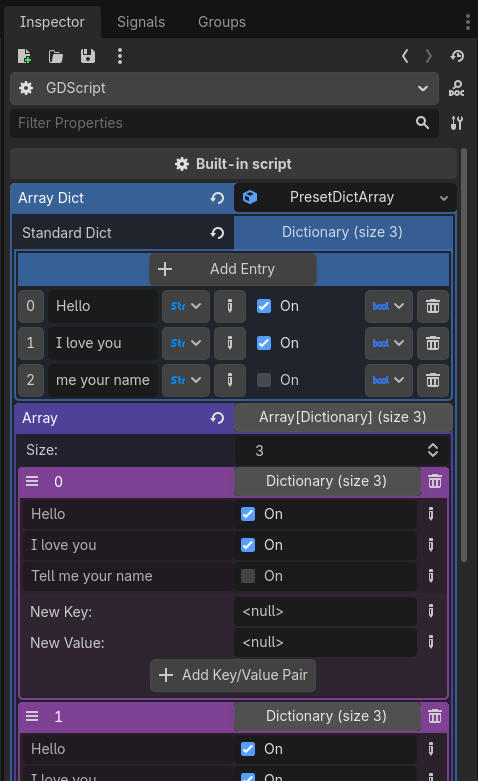
After creating new elements to the array, you can change the k/v pairs as you see fit in each element, including deleting and adding new keys. If you want to prevent the ability to add or remove keys, turn on auto_standardize under the Standardization inspector group (Warning: see below).
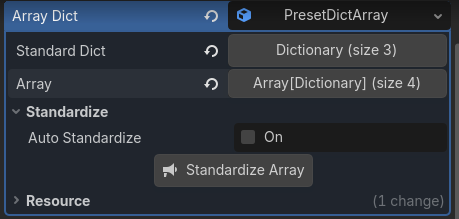
Auto-Standardize, and the Standardize Array Tool Button
You can also set PresetDictArray to automatically force current elements in the array to conform to standard_dict. To do this, set auto_standardize to true, or use the standardize_array() function. This is a destructive method, such that:
- Any key (and its value) that is in an element of
arrayand not instandard_dictwill be removed. - Any key in
standard_dictthat has been changed will be counted as having been removed. - Any key in
standard_dictthat is not in an element ofarraywill be added with its default value. - Changing the values in
standard_dictdoes not change any currently-set value inarray.
Note: Changes made by Auto-Standardize and the Standardize Array function/tool button do not immediately appear in the inspector. Click off of the node and then back onto it, and it should update.
Changelog for version v1.2
2026-06-23 00:26:17
No changelog provided for this version.