Deep RayCast 3D
Brief Description
DeepRayCast3D is a powerful plugin for Godot Engine 4x that allows performing deep raycasts, passing through multiple objects in a straight line and registering all collisions along the way.
It’s ideal for shooting systems, obstacle detection, chain interactions, laser effects, and more.
Full Description
Unlike Godot’s built-in RayCast3D, the DeepRayCast3D can:
- Detect multiple collisions along a single ray.
- Ignore specific objects, including its parent or manually defined nodes.
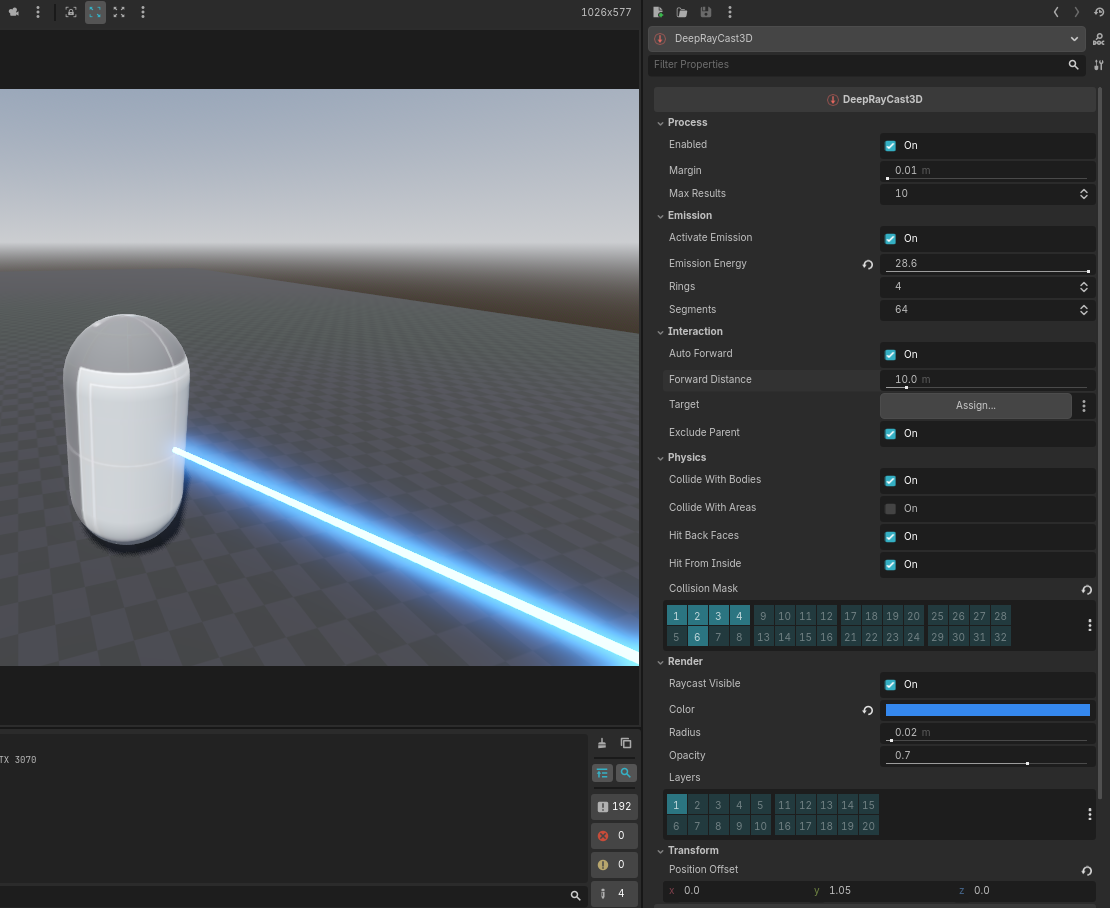
- Display a customizable visual representation (a 3D beam/cylinder).
- Work in both automatic (auto_forward) and manual (to) modes.
- Emit a signal with all detected collisions during the physics process.
How It Works
This node must be added as a child of a Node3D.
It continuously emits a ray during _physics_process, detects collisions, and updates its visual beam both in the editor and runtime.
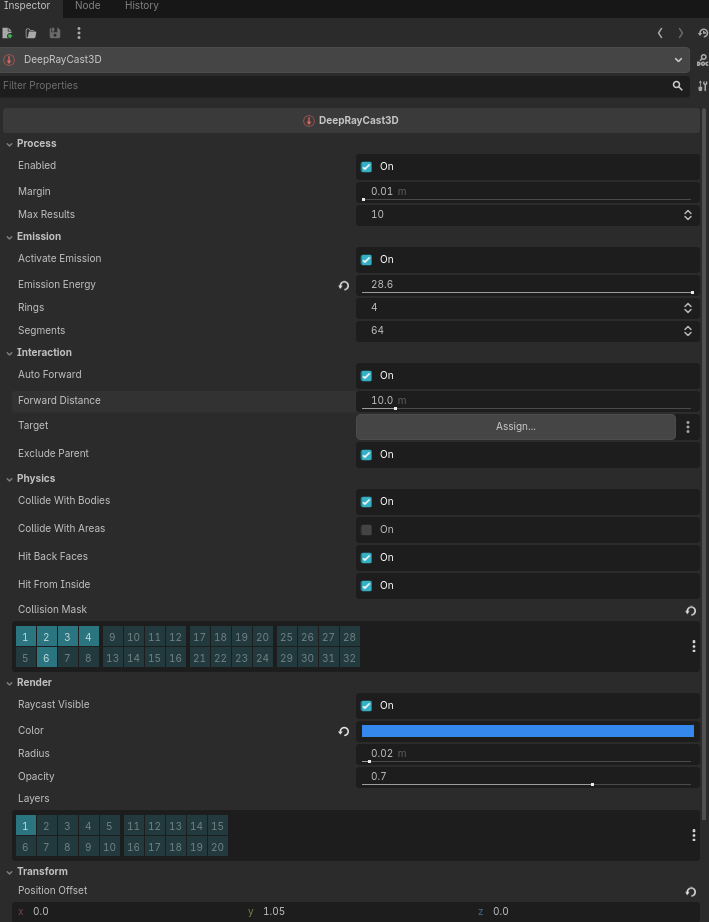
Inspector Properties
Process
| Property | Type | Description |
|---|---|---|
enabled |
bool |
Enables or disables raycast verification. |
margin |
float |
Margin distance between consecutive collisions. |
max_results |
int |
Maximum number of collisions the ray can detect. |
Emission
| Property | Type | Description |
|---|---|---|
activate_emission |
bool |
Enables or disables beam emission effect. |
emission_energy |
float |
Intensity of the beam emission. |
rings |
int |
Number of rings in the cylinder mesh. |
segments |
int |
Number of radial segments in the mesh. |
Interaction
| Property | Type | Description |
|---|---|---|
auto_forward |
bool |
If true, the ray automatically faces forward (-Z of the parent). |
forward_distance |
float |
Ray distance when auto_forward is enabled. |
target |
PhysicsBody3D |
Target node (used only when auto_forward is disabled). |
exclude_parent |
bool |
Excludes the parent node from collision detection. |
Physics
| Property | Type | Description |
|---|---|---|
collide_with_bodies |
bool |
Detects collisions with PhysicsBody3D nodes. |
collide_with_areas |
bool |
Detects collisions with Area3D nodes. |
hit_back_faces |
bool |
Detects back faces of concave meshes. |
hit_from_inside |
bool |
Detects collisions even when starting inside shapes. |
collision_mask |
int |
Physics layer bitmask for collision detection. |
Render
| Property | Type | Description |
|---|---|---|
raycast_visible |
bool |
Shows or hides the visual ray in the scene. |
color |
Color |
Color of the rendered beam. |
radius |
float |
Radius (thickness) of the beam. |
opacity |
float |
Beam transparency. |
layers |
int |
Render layers the ray belongs to. |
Signals
cast_collider(results: Array[DeepRaycast3DResult])
Emitted whenever the raycast detects one or more collisions.
The signal returns an array of DeepRaycast3DResult objects containing detailed hit information.
Example:
func _ready():
    $DeepRayCast3D.cast_collider.connect(_on_cast_collider)

func _on_cast_collider(results: Array):
    for result in results:
        print("Hit:", result.collider, "at position:", result.position)
Public Methods
| Method | Returns | Description |
|---|---|---|
get_collider_count() |
int |
Returns the number of detected colliders. |
get_collider(index: int) |
PhysicsBody3D |
Returns the collider at the given index. |
get_normal(index: int) |
Vector3 |
Returns the collision normal vector. |
get_hit_position(index: int) |
Vector3 |
Returns the collision point position. |
add_exclude(target) |
void |
Adds a node or body to the exclusion list. |
remove_exclude(target) |
void |
Removes a node or body from the exclusion list. |
clear_exclude() |
void |
Clears the exclusion list, allowing all bodies to be detected again. |
Usage Examples
🔹 Accessing Collisions Manually
@onready var deep_ray = $DeepRayCast3D

func _physics_process(_delta):
    var count = deep_ray.get_collider_count()
    for i in range(count):
        var collider = deep_ray.get_collider(i)
        var position = deep_ray.get_hit_position(i)
        var normal = deep_ray.get_normal(i)
        print("Hit:", collider.name, "at", position, "normal:", normal)
🔹 Using Signals
func _ready():
    $DeepRayCast3D.cast_collider.connect(_on_cast_collider)

func _on_cast_collider(results: Array):
    for r in results:
        print("Hit:", r.collider.name)
🔹 Adding Exclusions
func _ready():
    var wall = get_node("Wall")
    $DeepRayCast3D.add_exclude(wall)
🔹 Removing Exclusions
func _input(event):
    if event.is_action_pressed("ui_accept"):
        var wall = get_node("Wall")
        $DeepRayCast3D.remove_exclude(wall)
Requirements
- Godot Engine 4x or higher
- Plugin installed in folder:
res://addons/deep_raycast_3d/
Installation
- Copy the folder
addons/deep_raycast_3dinto your project. - Enable the plugin under Project → Project Settings → Plugins.
- Add a
DeepRayCast3Dnode as a child of aNode3D.
Screenshots
Screenshot InputManager
❤️ Support
If this project helps you, consider supporting:
https://github.com/sponsors/Saulo-de-Souza
https://www.paypal.com/donate/?hosted_button_id=G24W4KL9ALH64
Changelog for version 2.0.0
2026-01-08 01:23:00
No changelog provided for this version.