Description
Changelog
Reviews (0)
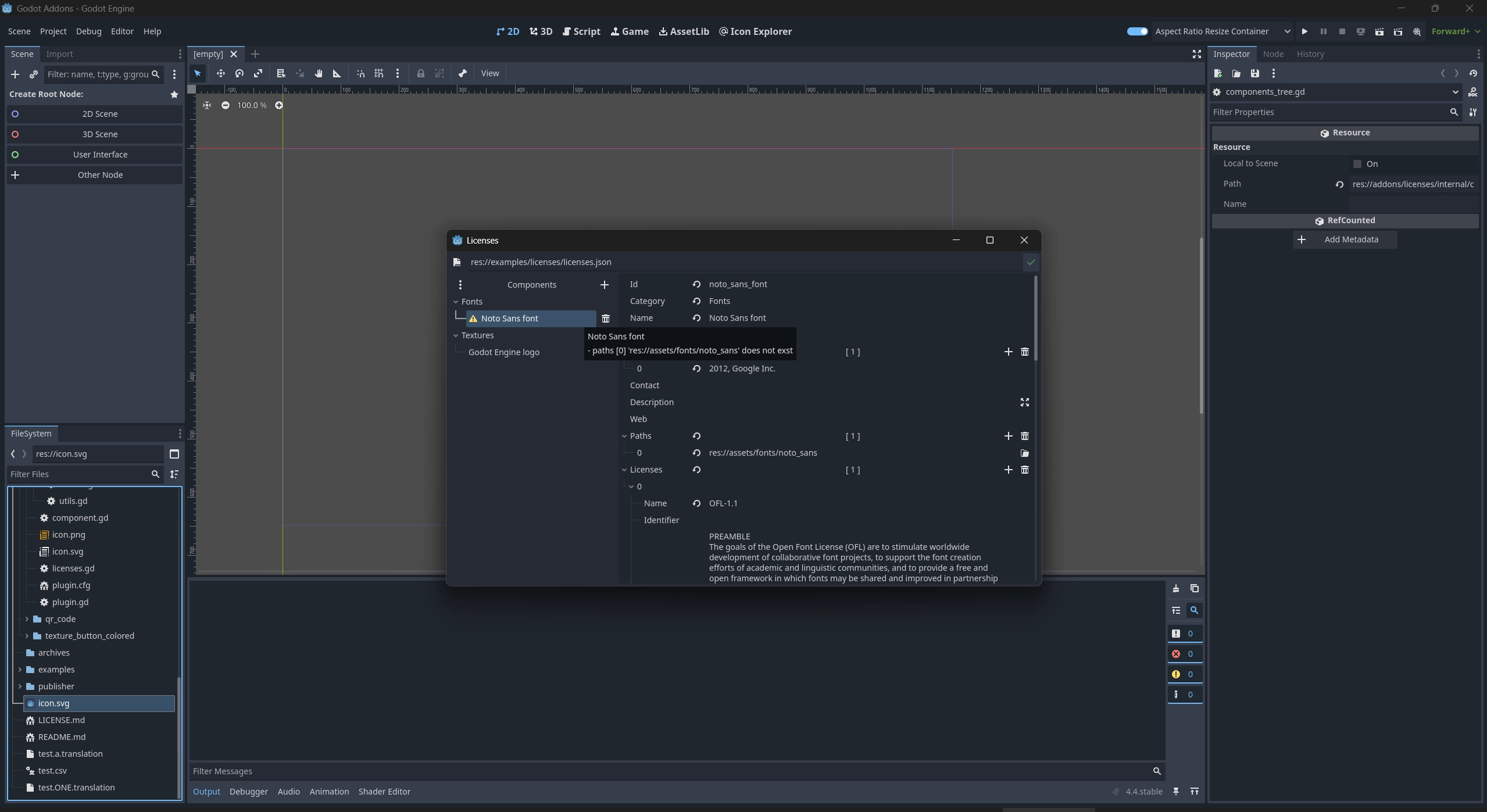
License Manager
Keep track of licenses and copyright for third-party assets, libraries, and tools used in your Godot project.
Easily group licenses into categories, add descriptions, file paths, or project links — all from a dedicated editor tool.
Features
- Manage licenses for graphics, libraries, code, and more
- Organize entries by category with name, version, copyright
- Attach license text, link to web pages, or include files
- File paths auto-update when renamed in the Godot editor
- All data is saved in a JSON file and included automatically in exports
- Right-click context menu in the FileSystem panel to check license for any file/folder
All data is saved in a JSON file and included automatically in exports.
Usage
Once the plugin is enabled, you can manage license information in two ways:
In the Editor
- Open the License Manager via
Project → Tools → Licenses... - Right-click any file or folder in the FileSystem dock → Show License
- Group licenses by category, add descriptions or web links, and optionally attach license files
- License data is saved automatically to a JSON file, which is included in exports
Via Code
You can also manage license data programmatically using the License Manager API.
This is helpful to access license information at runtime to display the credits and third party licenses for your app or game.
# Load existing license data
var res: Licenses.LoadResult = Licenses.load(Licenses.get_license_data_filepath())
if res.err_msg != "":
    return

var components: Array[Component] = res.components

# Append required engine components
components.append_array(Licenses.get_required_engine_components())

# Sort components by category and name
components.sort_custom(Licenses.new().compare_components_ascending)
Documentation & Examples
Full API documentation is available here.
Changelog for version 1.11.2
2026-08-14 09:53:27
No changelog provided for this version.